AI App Builder Secrets Management (2026): Three Ways to Guard One Boundary
Eight AI app builders, three mechanisms for keeping an API key out of the browser, and a read-back rule that splits them three ways. Verified against primary vendor docs.
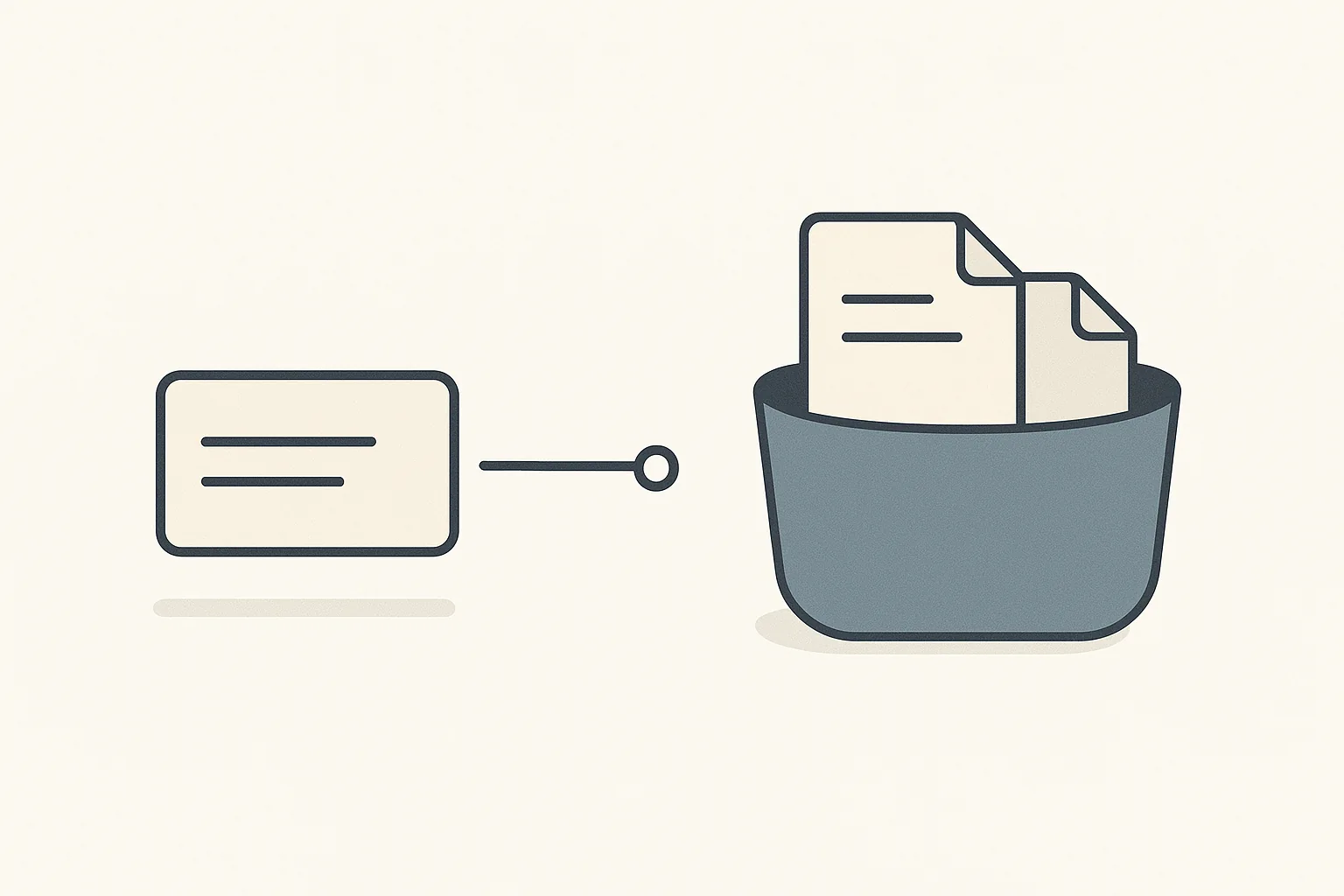
Three distinct abstract guarding mechanisms spaced along a single horizontal boundary line, a tag, a sealed padlock and a toggle switch, with two keys held safely below and one key drifting past the open toggle
On this page
Quick Answer
Every builder here has somewhere to put an API key. The question that actually matters is what stops that key reaching the browser, and there are only three answers in this whole category: a naming prefix, a separate server-only store, or a checkbox you have to remember to tick. The third one defaults to the exposed side.
A second question separates them again, and it is the one people discover too late: can you read the value back after you save it? Three builders answer that three different ways, and none of the three is wrong.
Lovable runs three separate stores with three different boundaries, and its Secrets manager is genuinely write-only: "after you save a secret, its value can never be viewed again". It also actively rejects a browser-prefixed name if you try to file it as a secret.
Replit is the opposite: an eye icon reveals any stored value, plus bulk "Edit as JSON" and "Edit as .env". It is also the only vendor here that documents, in its own words, that its permission boundary can be walked around by a collaborator.
Base44 takes the middle position nobody advertises: listing secrets shows "only names and partially redacted values". It is also the only builder that redeploys dependent functions automatically when a secret changes.
Bubble guards the boundary with a per-parameter checkbox called private. Its own documentation states plainly what happens when you leave it unticked: the value "would be visible in your app's code file on the user's device".
Webflow Cloud uses the same checkbox pattern ("Mark as a Secret") and then contradicts itself on a single page about whether anyone can read the result.
v0 inherits Next.js semantics, where the prefix NEXT_PUBLIC_ is the boundary, and is the only platform that actively analyses your usage of that prefix and offers to refactor the code server-side.
Bolt.new keeps the simplest promise of the eight: secrets exist for server functions so that private information "never ends up in your users' browsers or devices".
Softr has no general-purpose app secrets store in its documentation at all. Third-party keys are pasted into per-integration connections inside its Workflows layer instead.
Why "where do I put my API key" has three different answers
The reason this criterion is confusing is that the eight platforms are not solving the same problem, even though they use overlapping words to describe it.
A key has to be somewhere. The only question is whether the place you put it is included in the bundle that gets shipped to a visitor's browser. Every mechanism in this category is an attempt to make that answer no, and the three designs put the safety in three different places.
Put the safety in the name, and the platform can enforce it mechanically, because the build step can look at a variable called VITE_STRIPE_KEY and know it is destined for the client. Put the safety in the location, and the store itself is simply never read at build time, so nothing in it can be inlined. Put the safety in a checkbox, and the enforcement is you.
That third design is not a bad one. It is the only design that works when the same request has to carry both public and private parameters, which is exactly the situation an API connector is in. But it does mean the unticked state is the insecure state, and it is worth knowing which of these three you are using before you paste anything.
There is a fourth question underneath all of this, which is what happens to those values when you leave. That is a portability question rather than a security one, and it is covered separately in the wider lock-in picture. This piece is about the browser boundary, the read-back rule, and who can see the value while you are still on the platform.
Axis 1: which mechanism guards the browser boundary
The naming prefix, where the boundary lives in the variable's name
Lovable and v0 both build on frameworks that already had an answer, and both adopted it.
Lovable splits values across three stores, and the split is a real architectural decision rather than an accident. Its documentation is explicit: the Secrets manager "is for backend values only: values used by Edge Functions and server-side integrations", while "anything prefixed with VITE_ is a build-time, browser-exposed value and must live in your project's .env file instead, not in Secrets".
What makes this more than documentation is that the platform enforces it. Try to file a browser-prefixed name as a secret and Lovable refuses, with a message its docs quote directly: "VITE_ prefixed variables are build-time browser values and should be defined in .env files, not in secrets."
That enforcement produces one consequence worth flagging before you hit it. Because those VITE_ values are build-time, Lovable needs them present when it builds, which means the file holding them has to be in version control. The docs say so in a warning: "Do not add .env to .gitignore in a Lovable project. Lovable needs .env committed to the repository so build-time VITE_* values are available when generating previews and published builds. Gitignoring it will break the preview."
If you have spent any time with conventional deployment advice, committing a .env file reads as an error. Here it is a requirement, and it is safe precisely because the only things allowed in that file are values the prefix has already declared public.
v0 inherits the same pattern from Next.js, where the prefix is NEXT_PUBLIC_. Its documentation states the rule ("Client-side environment variables must be prefixed with NEXT_PUBLIC_ to be accessible in browser code") and then goes further than anyone else in the group. v0 says it performs "Automatic Analysis: v0 analyzes NEXT_PUBLIC_ usage and warns users about potential security risks" and "Smart Refactoring: The AI can move code to Route Handlers, Server Actions, or other server-side contexts to improve security".
That is the only case in this comparison where the platform will actively rewrite your architecture to move a value back behind the boundary. Its own best-practice list is blunter still: "Never expose sensitive tokens with NEXT_PUBLIC_ prefix."
The separate store, where the boundary is the place you put it
Bolt, Base44 and Replit put the value somewhere the client build never reads.
Bolt states the contract in one sentence: secrets are used by server functions "to safely access sensitive information, like API keys or database passwords, without exposing them to users", so that "private information never ends up in your users' browsers or devices". The workflow is prompt-driven, which is unusual and rather good: Bolt "prompts you automatically when you need to add a secret", so asking it to integrate a provider produces a request for the key at the moment the key becomes necessary rather than as a setup step you do blind.
Base44 exposes the same idea through a CLI and a runtime module. Secrets are set with base44 secrets set KEY=VALUE, or loaded in bulk with --env-file, and read inside backend functions with secrets.get() from the built-in base44:runtime module.
The detail in Base44's documentation that will save someone a debugging session is about when that read happens: "Call secrets.get() inside your handler, not at the top level of your module. Secrets resolve per request, so a read at module load, before any request runs, returns undefined."
That is a genuinely non-obvious failure mode. The idiomatic thing to write, hoisting configuration to the top of the file, is the thing that silently produces undefined here.
Replit's store is the most elaborate of the three, and the only one with two scopes. App Secrets are specific to one Replit App; Account Secrets are values "that you can make available across all your Replit Apps". Both live in the same Secrets pane, and both surface to your code as ordinary environment variables. One limitation is documented and easy to miss: "Secrets are available for all deployment types except Static Deployments."
The checkbox, where the boundary is a toggle you have to remember
Bubble and Webflow Cloud use the same shape, and it deserves to be understood rather than dismissed.
Bubble's API Connector marks individual parameters as private. The documentation explains both the mechanism and why it works: "setting parameters to 'private' removes it from your app's code files and makes it inaccessible to end-users. This is possible because API calls by default are routed through Bubble's server. This allows us to store the parameter only on the server and include it as needed when the call is made."
The reason this design exists at all is that an API call is not homogeneous. A single request may carry a public search term and a private key in the same header block, and a per-request store cannot distinguish them. A per-parameter flag can.
The cost is that Bubble has to describe the unticked case, and it does so without softening it. Of a key placed directly in a URL, the docs say: "The information above would be visible in your app's code file on the user's device." Bubble's remedy is to parameterise the URL itself, wrapping the sensitive segment in brackets so it becomes a parameter that can then be marked private, and it notes you can "even turn the whole URL into a private parameter if you prefer to even keep that hidden".
Webflow Cloud uses the identical pattern with different words. Environment variables are created per environment, and step 5 of the documented flow is "(Optional) Mark as a Secret to mask sensitive values like API keys or client secrets". The word optional is doing a lot of work there, and it is the honest description: the protection is a step you choose.
Softr is the outlier because it does not present this problem to you in the same form. It is a front end over an external data source, and third-party keys are entered into per-integration connections in its Workflows layer, one connection at a time. Connecting Anthropic, for instance, is documented as: "Click Connect Anthropic and paste your Anthropic API key." There is no general-purpose secrets store described in Softr's documentation, and it is worth being precise about that claim: what is verifiable is that Softr does not document one, not that no such storage exists anywhere in the product.
Axis 2: whether you can read the value back
This is the axis that produces a direct, quotable disagreement between two platforms, and it is not a quality gap. It is a real trade-off with a defensible answer on each side.
Write-only, and Lovable means it
Lovable's rule is unambiguous: "Secrets are write-only: after you save a secret, its value can never be viewed again in Lovable, only replaced or deleted. If you lose a key, generate a new one at the service that issued it."
Its FAQ repeats the position rather than hedging it, and its integration credentials go further still: "Once a credential is saved, no one can read it back directly: not workspace members, not workspace admins, and not the Lovable AI agent."
That last clause is the interesting one. Excluding the AI agent from reading stored credentials is a design choice specific to this generation of tooling, and it is the sort of thing that did not need saying five years ago.
There is a second-order consequence: Lovable also notes that secrets "are not copied when a project is remixed". Combined with write-only storage, that means a remixed project starts empty and you cannot repopulate it from the original, only from the issuing service.
Full read-back, with an eye icon
Replit does the opposite, deliberately. "To view a secret, select the eye icon next to the secret." Beyond individual reveals, you can "modify the entire list of App Secrets by selecting Edit as JSON or Edit as .env at the bottom of the tab".
Bulk export as .env is a real convenience, and it is the correct choice for a product whose users move projects between local development and the platform. It also means a stored secret is recoverable, which is a genuine operational advantage: losing a key on Replit costs a click, and on Lovable it costs a rotation at the provider.
Neither behaviour is a defect. They optimise for different failure modes: Lovable for the case where an account is compromised, Replit for the case where you need your own value back.
The middle position nobody advertises
Base44 sits between them, and its documentation gives the cleanest one-line statement of a partial reveal in the group: listing secrets shows that "Secret values are masked. Only names and partially redacted values are shown."
Partial redaction is more useful than it sounds. It answers the question people actually have when they open a secrets pane, which is not usually "what is the value" but "is this the right key, or the one from the old account". A few visible characters settle that without making the value recoverable.
Webflow Cloud is the one place where the read-back answer is genuinely unclear, because the same documentation page says both things. The body text says: "To view the value of a secret variable, click the eye icon to toggle its visibility." Its own FAQ, under a heading about who can see environment variables, says: "No one can see the secret variables."
Read charitably, the FAQ almost certainly means site visitors rather than collaborators. But it sits directly beneath the sentence "Any user with access to your Webflow site can view the public environment variables", which frames the whole section as being about people with access rather than the public. As published, the two statements do not reconcile, and this comparison reports both rather than picking the one that fits the pattern better.
Axis 3: scope, sharing and rotation
One value, three different blast radiuses
Where a secret lives determines how much breaks when it changes, and the platforms differ more here than on either previous axis.
Replit offers the explicit two-level choice already described, App or Account. Lovable's build secrets, a third store separate from both .env and Secrets, are workspace-wide by design, and Lovable states the limitation rather than leaving you to find it: "Build secrets apply to the whole workspace. You cannot scope one to a single project or override it per project."
Lovable also draws a sharp line about when those values are readable: "Build secrets are available only while a project builds. Your published app cannot read them at runtime." That is the correct boundary for something like a private package token, which is needed to install a dependency and never afterwards, and it means a build secret cannot leak through a running request at all.
Its sharing model is a nice middle setting worth copying: "workspace editors can see secret names (read-only) so they can reference the right one." Names without values is exactly enough for a developer to write correct code and not enough to exfiltrate anything.
Rotation propagates three different ways
Changing a secret is not one operation, and what happens next is the part that varies.
Base44 is the only builder in the group that closes the loop for you. Its documentation states that when you set a secret, "any deployed backend functions that reference it are automatically redeployed with the new value". Nothing else here does that.
Webflow Cloud sits at the other end. Its environment variables are tied to a deployment, and its own FAQ confirms the constraint: "environment variables are only available for the current deployment." A rotated value therefore takes effect through the deployment pipeline rather than immediately.
Lovable documents something more subtle for its own managed key, warning that after rotation the previous value "may still be valid for up to an hour depending on caching". That is an unusually candid disclosure. Most rotation documentation implies an instant cutover; this one tells you there is a window in which the old key still works, which is exactly what you need to know if you are rotating because a key leaked.
The collaborator problem every builder has, and the one vendor that says so
Replit publishes a permission matrix showing which collaborator roles can view secret values, and then adds a sentence that undercuts its own table: "Organization members without the Owner role cannot view secret values in a Replit App, but can access their values by printing the environment variables."
It would be easy to file that as a Replit weakness. It is not, and grading it that way would be the wrong reading of the evidence.
The statement is true of every platform here where a collaborator can run code. A secret that a server function can read is a secret that anyone who can edit that server function can print. The UI-level permission is a convenience boundary, not a security boundary, and that is inherent to the model rather than specific to one vendor.
What is specific to Replit is that it is the only one of the eight that writes this down. On that basis it belongs in the credit column: it is the only documentation set in this comparison that tells you the difference between the boundary it draws in the interface and the boundary it can actually enforce.
The practical rule that follows applies everywhere: treat edit access to a project as equivalent to read access to its secrets, on all eight platforms, whatever the permission table says.
The comparison table
Scroll to see more
Builder
Boundary mechanism
Read the value back
Scope
Rotation takes effect
Lovable
Naming prefix, enforced. VITE_ rejected in Secrets
No, write-only. Integration credentials unreadable by anyone including the AI agent
Three stores: project .env, project Secrets, workspace build secrets
Immediate, but a rotated managed key "may still be valid for up to an hour"
Replit
Separate server-only store
Yes, eye icon, plus bulk "Edit as JSON" and "Edit as .env"
App Secrets or Account Secrets across all apps
Immediate on next run. Not available on Static Deployments
Base44
Separate server-only store, CLI managed
Partial. "Only names and partially redacted values are shown"
Project level
Automatic redeploy of dependent backend functions
Bolt.new
Separate server-only store for server functions
Not documented. Value hidden as you type
Project database level
Not documented
v0
Naming prefix, plus automatic analysis and server-side refactoring
Not documented
Project level
Via Vercel environment variable management
Bubble
Per-parameter private checkbox in the API Connector
Not documented
Per API call parameter
Immediate, values live server side
Webflow Cloud
Per-value "Mark as a Secret", optional
Page contradicts itself: eye icon in the body, "No one can see the secret variables" in the FAQ
Per environment, capped at 110 variables
Requires a new deployment
Softr
Per-integration connection in Workflows. No documented app secrets store
Not documented. Its own API token is shown "only once"
Per integration connection
Reconnect the integration
The details that decide whether it works at all
The 110 ceiling. Webflow Cloud states that "each environment supports up to 110 environment variables". That is generous for an application and tight for a monorepo with several services sharing an environment, and it is the only hard numeric cap documented anywhere in this group.
Build logs are not a safety net. Webflow redacts secret values from build logs and then explicitly refuses to let you rely on it: "avoid intentionally printing secrets, redaction is a safety mechanism, not a recommended secret-handling workflow." That is the right way to describe a mitigation, and it is unusual to see a vendor decline to take credit for one.
Base44's per-request resolution. Worth repeating because it will bite someone: secrets.get() at module scope returns undefined. Read inside the handler.
Bubble's parameterised URL. If a key is embedded in an endpoint path rather than a header, marking headers private does nothing. Bubble's bracket syntax exists specifically for this, and it is the only platform here that documents a route to protecting part of a URL.
Static hosting removes the option entirely. Replit's exception for Static Deployments is the general case in disguise: if there is no server, there is no server-side store, and every value your app holds is a public value. That is the same structural point that makes a storage URL effectively a permission in how these platforms handle uploaded files.
Softr's one-time token. Softr's own API token is "shown only once", which is a write-only pattern applied to the platform's key rather than to yours. Useful to know it will not be recoverable.
Verdict, September 2026
If you want the strongest default, Lovable has it, and the reason is enforcement rather than storage. It refuses a browser-prefixed name in the wrong store, it makes secrets unreadable to everyone including its own agent, and it separates build-time from runtime values into different stores with different lifetimes. The cost is real and you should price it: a lost key is a rotation at the provider, not a click.
If you want operational recoverability, Replit is the better answer and should not be marked down for it. Bulk .env export is genuinely useful, two scope levels are more than anyone else offers, and it is the only vendor here honest enough to publish the limits of its own permission model.
Base44 is the quiet best-engineered option on this criterion. Partial redaction answers the question people actually have, per-request resolution is the correct semantics, and automatic redeployment of dependent functions on rotation is a loop no other builder here closes.
v0 is the only platform that will move a value back across the boundary for you rather than warning you about it, which matters more than it sounds on a criterion where the usual failure is a value sitting one prefix away from being public.
Bolt.new keeps a simple promise simply, and the prompt-driven flow means you add a key at the moment it is needed.
Bubble and Webflow Cloud are the two to be deliberate about, for the same structural reason and not because either is careless. When the boundary is a checkbox, the unticked default is the exposed state, and Bubble is candid enough to spell out exactly what that costs. Webflow's own page currently disagrees with itself about read-back, so treat its eye icon as the operative fact and its FAQ sentence as being about visitors.
Softr is a different shape of product and should be judged as one. There is no app secrets store to evaluate because keys live in integration connections, which is coherent for a front end over an external data source.
The single most useful thing to take from all of this is architectural rather than comparative. On all eight platforms, edit access to a project is functionally read access to its secrets, whatever the permission table says. Replit is the only one that tells you.
Sources
All claims verified against primary vendor documentation on September 8, 2026.
The Builderdex editorial desk builds structured, criteria-based comparisons of AI app builders. We test every claim against primary vendor documentation and publish the source for each one.
Frequently asked questions
Where should I put an API key in an AI app builder?
In whichever store the platform never reads at build time. On Bolt, Base44 and Replit that is the dedicated secrets store. On Lovable and v0 it is any variable without the browser prefix (VITE_ and NEXT_PUBLIC_ respectively), because a prefixed value is inlined into the client bundle by design. On Bubble and Webflow Cloud you must additionally tick the per-value private or secret flag, since the default state is the exposed one.
Which AI app builders let you view a secret after saving it?
Replit does, via an eye icon next to each secret, plus bulk Edit as JSON and Edit as .env. Base44 shows only names and partially redacted values. Lovable does not at all: its documentation states secrets are write-only and the value can never be viewed again, only replaced or deleted. Webflow Cloud's documentation contradicts itself, describing an eye icon in the body while its FAQ says no one can see the secret variables.
What does the VITE_ prefix do in Lovable?
It marks a value as build-time and browser-exposed. Lovable requires those values to live in the project .env file rather than in Secrets, and it rejects a VITE_ prefixed name if you try to add it to the Secrets manager. Because they are needed at build time, Lovable also requires .env to be committed to the repository and warns that gitignoring it will break previews.
Can other people on my team see my secrets?
Assume yes if they can edit the project. Replit is the only vendor that documents this directly, noting that organization members without the Owner role cannot view secret values in the interface but can access them by printing the environment variables. That is true of every platform here where a collaborator can run server-side code, so treat edit access as equivalent to read access regardless of what the permission table shows.
What happens when I rotate a secret?
It differs by platform. Base44 automatically redeploys any deployed backend functions that reference the secret. Webflow Cloud ties variables to a deployment, so a new deployment is required. Lovable rotates its own managed key immediately but warns the previous value may still be valid for up to an hour depending on caching, which matters if you are rotating because a key leaked.
Is a checkbox-based secret system less safe than a dedicated store?
Not inherently, but the failure mode is different. Bubble's private flag and Webflow Cloud's Mark as a Secret both work correctly when set. The difference is that the unset state is the exposed state, so protection depends on remembering. Bubble's own documentation is explicit about the cost, stating that an unprotected value would be visible in your app's code file on the user's device.
Does Softr have a secrets manager?
Softr does not document a general-purpose app-level secrets store. Third-party API keys are entered into individual integration connections inside its Workflows layer, one connection per service. That is coherent for a front end built over an external data source, but it means there is no single place to audit or rotate every credential an app depends on.
A 2026 scorecard of vendor lock-in across six AI app builders, scored on five independent layers: code, data, identity, runtime, and what the exit itself costs. Your migration bill is set by your weakest layer, not your average.
Every AI app builder accepts a file. Almost none of them store it where you think. Eight builders compared on whose bucket holds the bytes, whether a file URL is the only permission protecting it, and what survives a delete, an export and a move.
A landing page has three jobs: look right, capture a response, and get published where people can find it. We read eight AI app builders' own documentation to see which jobs each one has actually designed for in 2026.

 Lovable
 Replit
 Base44
 Bolt.new
 v0
v0 Bubble
 Webflow Cloud
 Softr
Softr