AI App Builder File Storage (2026): Where Your Uploads Live
Every AI app builder accepts a file. Almost none of them store it where you think. Eight builders compared on whose bucket holds the bytes, whether a file URL is the only permission protecting it, and what survives a delete, an export and a move.
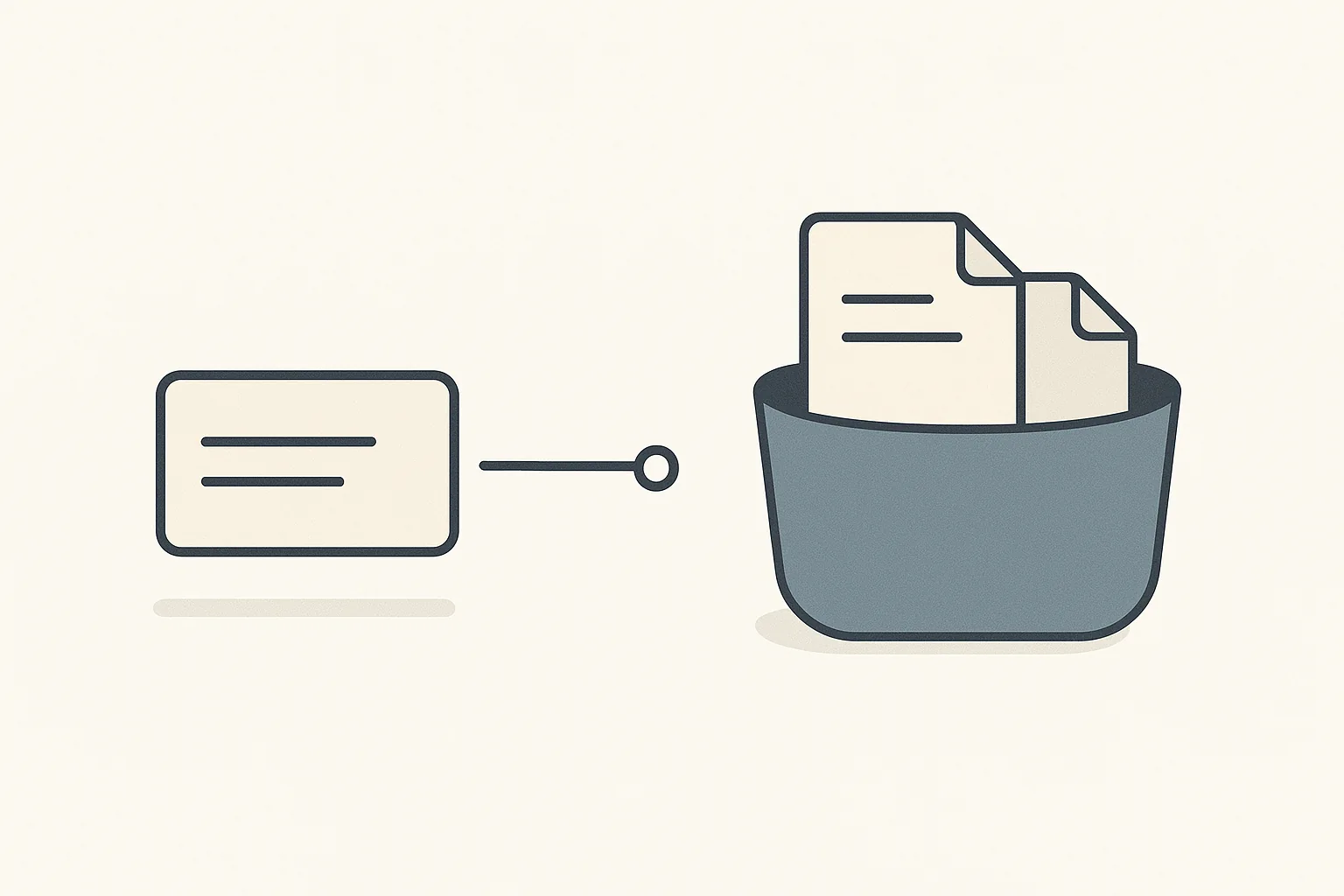
A database record card linked by a broken pointer to a separate storage bucket holding two documents
On this page
Quick Answer
Every builder here will happily accept a file. What happens next is the same shape everywhere: the database stores a pointer, and the bytes live somewhere else. Three questions follow, and only the first is obvious: whose bucket the bytes are in, whether the URL is the only thing standing between a stranger and the file, and what survives a delete or a move.
The second is the sleeper. On two of these platforms the vendor states in its own documentation that a file URL is effectively public, and that hiding the field does not hide the file.
Bubble is the most explicit about the split. Its documentation states that clearing a file field deletes only the URL, not the file, and that a freshly uploaded file "technically has a live URL that can be viewed by anyone with the URL" before any workflow has saved it anywhere.
Webflow names its underlying store and its default posture in one paragraph: assets uploaded to a Collection field are "imported to Amazon Web Servers (AWS)", served over its CDN, and "are not restricted, that is, they are publicly available and discoverable."
Replit has the most portable arrangement. App Storage is "powered by Google Cloud Storage (GCS)", buckets belong to your account rather than to one app, and you can reach them with the standard Google Cloud Storage client library instead of a proprietary SDK.
Lovable has the strictest default in the comparison: public buckets are blocked at the workspace level on all plans, and sharing a private file gives you a signed URL that expires after one hour. It also has the least reversible decision, because the hosting region is locked once Cloud is enabled.
Base44 publishes the most complete limits table of anyone here, with separate ceilings for what you upload while building and what your users upload in the live app.
v0 has no storage primitive of its own at all. It offers Vercel Blob as an installable integration, which means the bucket is on your Vercel account and v0 has nothing to hold onto.
Bolt.new has built-in storage wired to the database, but its own documentation says it "does not yet support viewing or managing individual files." You can see the buckets. You cannot open one.
Softr does not store files. It reads them out of whatever data source you connected, so the custody question is really a question about your Airtable base.
If your app holds a document a stranger should not read: assume the URL is the permission until the vendor says otherwise in writing, and check what the delete button actually deletes.
Why "does it support file uploads" is the wrong question
Every builder here supports file uploads. That checkbox tells you nothing, because uploading is the easy half. The hard half is custody: after the upload succeeds, some system is holding your users' passport scans, contracts and profile photos, and you are responsible for them.
It gets missed because the upload flow looks atomic in the editor. You drag an uploader onto a page, bind it to a field, publish, and a file appears in a list. It reads like one operation on one object. It is not.
Bubble's documentation explains the mechanism the other platforms share but describe less directly. Source, verbatim:"The field in the database does not contain the actual file, but only a URL pointing to that file on another server. In other words, the file and image field types only contain a short string of text: the file's URL."
Bubble then draws out the consequence that matters, and it is the single most important sentence in this article. Source, verbatim:"When you delete the content of that field, you are only deleting the URL, not the file."
That is not a Bubble quirk. It is the architecture of every platform here, because object storage and relational storage are different systems with different lifecycles. What differs is how honestly each platform surfaces the gap and what tools it gives you to close it.
The three axes below are the three places where that gap turns into a real problem: at rest, in transit, and at the end of the relationship.
Axis 1: whose bucket is it
The first question is the ownership question, and the eight builders give four genuinely different answers.
The bucket belongs to your account, and the API is standard
Replit is the outlier here, in a good way. It renamed Object Storage to App Storage but kept the substance, and the substance is unusually open: the documentation states plainly that App Storage "is powered by Google Cloud Storage (GCS)", which is more than most vendors will say about where your bytes physically sit.
The scoping differs from everyone else too. Source, verbatim:"Replit connects all buckets you create to your account and makes them available to all your Replit Apps." You grant or revoke individual apps access, which makes a shared media library across several apps a first-class arrangement rather than a workaround.
The part that matters most for portability is the access path. Replit documents two client options: its own App Storage SDK for JavaScript and Python, and the standard Google Cloud Storage client library. The second is the interesting one, because code written against the GCS client library knows how to talk to any GCS bucket, not just a Replit one.
The bucket belongs to the project, and the project belongs to the platform
Lovable's storage sits inside its built-in backend, which the documentation calls Cloud and describes as using "Supabase's open-source foundation" without being a Supabase project you own. Buckets are created when you describe what you want, or by hand from the Storage view, and a bucket name cannot be changed after creation. The ceiling is generous: 2 GB uploads by default, raiseable to 5 GB.
Two facts are worth knowing before you commit. The first is that leaving is manual work. Source, verbatim:"There is no one-click migration from the built-in backend (Cloud) to your own Supabase project. If you want to move, you export your Cloud data, connect a Supabase project to a new Lovable project, and rebuild the schema there."
The second is stricter and is the least reversible decision in this whole comparison. Source, verbatim:"Once Cloud is enabled for a project, the selected region is locked and cannot be changed. Existing projects cannot be moved across regions." If you are subject to a data residency requirement, that is a decision you make once, at the moment you enable Cloud, before you have written a line of the app.
Bolt.new also ties storage to the project, wired to the database, with buckets created by prompting rather than by a create-bucket button. Its documentation is unusually candid about the current state of the tooling. Source, verbatim:"At this time, Bolt lets you view the storage buckets you create through prompts, but it does not yet support viewing or managing individual files."
Read that as an operational constraint rather than a missing nice-to-have. If a user uploads something that has to be removed, whether it is wrong, abusive or the subject of an erasure request, there is no file browser to remove it from. It has to be done from application code you write.
The library belongs to one app and travels nowhere
Base44 gives each app a file library that holds both the assets you upload while building and the media the AI generates. It is deliberately scoped tighter than Replit's. Source, verbatim:"The file library is per app. Files saved in one app's library are not shared with other apps in your workspace."
That is a tradeoff rather than a defect. Per-app scoping means an app is self-contained and nothing leaks sideways between projects; it also means a brand asset used in six apps is stored six times and updated six times. Connect Google Drive as a source and Base44 does not read through to Drive at runtime either: it "stores a copy of each selected file in your app's file library.""
There is no bucket, because the platform does not run one
v0 is the clean case. Its documentation set contains no storage primitive of its own, and the word bucket does not appear anywhere in it. What it offers instead is an integration: Vercel Blob sits alongside Supabase, Neon and Upstash in the list of data integrations you install from the project settings.
On this one axis v0's gap is a feature. The Blob store is provisioned on your Vercel account, addressed by the Vercel Blob SDK, and unaffected by anything that happens to your v0 project. There is no export question because there was never a handover.
Softr reaches the same destination by a different road. It is a front end over a data source, so files live in whatever you connected. Its Download File documentation tells you to "make sure you have an attachment field or a public URL in your datasource that holds the file", and its Airtable guide maps an Airtable attachment field to a Softr image field. Your custody question is therefore an Airtable question, and Softr is a renderer.
Axis 2: whether the URL is the permission
This is the axis that produces real incidents, and it is the one the marketing pages never mention.
The two platforms that say it out loud
Bubble is unusually direct. Files uploaded through the editor are not covered by privacy rules at all, and the documentation says so with a recommendation attached: you "should only upload files that are meant to be public."
For user uploads it goes further, and this is the sentence to read before you ship a form. Source, verbatim:"When a file is uploaded by a user, it's immediately uploaded to the file storage server. This means that as soon as a file is uploaded, it technically has a live URL that can be viewed by anyone with the URL, even if you haven't saved the URL in the database yet."
The file is reachable before your workflow has decided whether to keep it. A validation step that rejects an upload does not un-publish it.
Bubble then distinguishes two settings that look interchangeable and are not. Hiding the field that stores the URL means an unauthorised user cannot see the URL, but if they obtain it another way the file still loads. Turning on "view attached files" makes the file itself unavailable. The documentation grades the first explicitly: alone, it leaves the data "obfuscated but not secure.""
Webflow reaches the same posture and describes it just as plainly, for CMS assets. Source, verbatim:"When you upload an asset (e.g., a PDF file or an image) to a Collection field, that asset is also imported to Amazon Web Servers (AWS) and delivered via our content delivery network (CDN). This generates a unique filename that also links the file to your site."
And then the default. Source, verbatim:"Files you upload to Collection fields are not restricted, that is, they are publicly available and discoverable, but won't necessarily be discovered or indexed by search engines if the file isn't on a publicly viewable webpage or linked elsewhere."
That second clause is doing a lot of work. It is a statement about discoverability, not about access control. A unique filename is a weak secret, and here it is the only thing between the file and the open web.
The platform that inverts the default
Lovable is the most conservative of the eight and is the one to copy. Buckets are private unless you say otherwise, and private means access is governed by row level security policies rather than by URL secrecy.
More than that, the permissive option is switched off for you. Source, verbatim:"Public storage buckets are blocked by default on all plans." Turning them on is a deliberate workspace-level act by an owner or admin, not something an app author does by accident mid-build.
Sharing from a private bucket produces a signed URL that expires after one hour, and the documentation recommends keeping buckets private and serving through signed URLs as the safer pattern. That expiry is the detail to design around: a link pasted into a chat thread is dead by the time anyone forwards it, which is the point, and durable sharing becomes something you build rather than something you copy.
The platforms where it is somebody else's default
Replit's App Storage buckets carry access policies, and Replit's guidance is to let Agent wire up authentication and access controls rather than treating the bucket as an open drop. Base44's live-app uploads go through its UploadFile integration and inherit your app's rules. Softr and v0 do not decide this at all: your Airtable base and your Vercel Blob store do.
The practical rule across all eight is the same. Find out, in writing, whether a file URL grants access on its own. If the vendor has not said, assume it does.
Axis 3: what survives a delete, an export, and a move
The last axis is the end of the relationship, in three flavours: deleting one file, taking everything with you, and moving somewhere else.
Deleting a row does not delete a file
This is the orphan problem, and Bubble documents both the failure and the fix better than anyone. Clearing a file or image field removes the URL and leaves the file stored and reachable. To actually remove it you need the "delete an uploaded file" action, which takes the file's URL, paired with a separate change to the record so the field ends up empty too.
Two actions, in the right order, every time a user deletes something. Miss it and you accumulate files nobody can find through the app and everybody can reach with a link. If your app handles an erasure request, this is where that request gets satisfied or quietly does not.
The other seven share the split. Replit and Lovable give you a file browser with a delete button, Replit warning that deletion is irreversible and that a bucket delete takes everything in it, Lovable requiring a bucket to be empty before it can be deleted at all. Bolt.new gives you no per-file view to delete from.
Storage is usually excluded from the export
Here is the fact that most often surprises people at exactly the wrong moment. Lovable answers it directly in its own FAQ. Source, verbatim:"Are storage files included in database exports? No. Database exports cover schema and table data only. Download storage files separately from the Storage view before migrating or removing Cloud."
That is worth pairing with a related answer on the same page, because together they describe a trap. Source, verbatim:"Storage usage continues while a project is paused because your files stay in place."
So a paused project is not a parked project. The export you took does not contain the files, and the files are still there, still yours, still billable. The remedy is stated by the vendor and is not difficult, but it is a manual step that only happens if you know to take it.
Moving is a decision you may only get to make once
Region locking deserves its own mention because it is irreversible in a way nothing else here is. Lovable lets you pick a hosting region when you enable Cloud, and lets a Business or Enterprise admin force a default for every new project. After that the region is fixed for the life of the project.
Everything else on this list can be undone with enough work. That one cannot, and it is set at the moment you are least likely to be thinking about it.
The comparison table
Scroll to see more
Builder
Where the bytes live
Default access posture
Delete removes the file
Files included in export
Lovable
Built-in Cloud backend on a Supabase foundation, region locked at enable time
Private, and public buckets blocked by default on all plans
Yes, from the Storage view; bucket must be empty first
No, stated explicitly; download separately
Bolt.new
Built-in storage tied to the project database, buckets created by prompt
Not documented on the file storage page
No per-file view; buckets visible, individual files not manageable
Not documented
Replit
Google Cloud Storage, named by the vendor; bucket scoped to your account
Bucket access policies; per-app grant and revoke
Yes, per object or whole bucket, and irreversible
Reachable with the standard GCS client library
Base44
Per-app file library, not shared across the workspace
Inherits your app's rules for live uploads
Managed in the file library
Not documented on the media page
Bubble
Separate file storage server behind Bubble's CDN; database holds only the URL
Public on upload; private needs an element setting plus a privacy rule
No, clearing the field deletes only the URL
File manager is separate from database data
v0
No first-party store; Vercel Blob installed as an integration on your account
Governed by Vercel Blob, not by v0
Governed by Vercel Blob
Nothing to export; the store is already yours
Softr
Your connected data source, typically an Airtable attachment field
Governed by the data source
Governed by the data source
Your data source is the export
Webflow
AWS, named by the vendor, delivered over Webflow's CDN
Not restricted; publicly available and discoverable
Managed as site assets
Assets are separate from CMS content
The details that decide whether it works at all
Three practical limits, each of which has killed a build at the wrong moment.
Size ceilings differ by an order of magnitude. Lovable accepts 2 GB uploads by default and up to 5 GB if you raise the limit. Base44's live-app uploads cap at 50 MB for images, documents and data files, and 100 MB per video. Webflow's form upload accepts a single file of up to 10 MB per button, though you can place up to twenty buttons in one form and configure each separately. If your product is a video app, only some of these are in the conversation.
Base44 publishes two different limit sets and you need the right one. The build-time library caps are tighter than the live-app ones: images at 40 MB with SVG at 5 MB, PDFs and JSON and CSV at 10 MB, TXT, HTML, DOCX and MD at 5 MB, XLS and XLSX at 15 MB, video at 100 MB. Build-time images above 1024 by 1024 pixels are also resized automatically, which explains a print-resolution asset coming back smaller. The live-app limits reached through the UploadFile integration are the ones your users hit, and they are more generous.
Some formats are refused for security, and that is correct. Webflow publishes an explicit blocklist for form uploads covering executables and archives, including .exe, .apk, .bat, .sh, .jar and .tar.gz. If you are building a job board expecting portfolios, check the accepted list first: Webflow allows a broad set of documents and images by default, with audio, video, .zip and .heic available as custom types.
One thing not to misread. Bolt.new publishes a long list of supported formats covering images, documents and dozens of source-code extensions, and it appears on both its file storage settings page and its chatbox attachment page. The accompanying note is about giving Bolt files "to help guide your project", capped at 10 MB on Free plans and 100 MB on Pro. It describes what you can attach while building, not what your app's end users can upload. We are not aware of a published end-user upload allowlist for Bolt apps, and we are not going to invent one.
Verdict, September 2026
If you are storing anything sensitive, Lovable has the safest defaults of the eight by a clear margin: private buckets, public buckets blocked at the workspace level on every plan, access governed by row level security rather than URL secrecy, and one-hour signed links. The price is the least reversible decision here, because the region locks the moment you enable Cloud. Pick it deliberately.
If you care most about being able to leave, Replit and v0 are the two to look at, for opposite reasons. Replit runs the bucket but names the provider, scopes it to your account rather than one app, and lets you address it with the standard Google Cloud Storage client library. v0 never runs a bucket at all, so the Vercel Blob store is yours from the first byte.
If you are building on Bubble, its documentation is the best here and you should read the files article end to end before you ship. It is explicit that a fresh upload is publicly reachable before your workflow touches it, that hiding a field is obfuscation rather than security, and that deleting a record leaves the file behind. None of that is a reason to avoid Bubble. All of it is a reason to build the two-step delete and the "view attached files" rule deliberately rather than discovering them later.
Webflow is a content platform and its storage behaves like one: assets are public by default and the vendor says so. Appropriate for marketing sites and product imagery, wrong for user documents.
Base44 is the best documented on limits and the most self-contained, at the cost of duplicating shared assets across apps. Softr delegates the question to your data source, which is clean if you already trust it. Bolt.new is the one to be careful with today, not because storage is missing but because you cannot yet open a bucket and manage the files inside it, which makes routine moderation and erasure an application-code problem rather than an admin-panel one.
The rule that applies to all eight: before you accept your first real user upload, write down where the bytes go, who can read them with only a URL, and what your delete button removes. Every platform here will answer those three questions if you ask. None will volunteer the answers.
Sources
Every claim above comes from the vendor's own published documentation, read on 6 September 2026.
The Builderdex editorial desk builds structured, criteria-based comparisons of AI app builders. We test every claim against primary vendor documentation and publish the source for each one.
Frequently asked questions
Where are files stored when I upload them to an AI app builder?
In a separate object store, not in the database. The database field holds only a URL pointing at the file. Replit names its store as Google Cloud Storage, Webflow names AWS delivered over its own CDN, Lovable runs a built-in backend on a Supabase foundation, Bubble uses its own file storage server behind a CDN, and v0 and Softr do not store files at all: v0 installs Vercel Blob on your account, and Softr reads attachments out of your connected data source.
If I delete a record, is the uploaded file deleted too?
Usually not. Bubble states it plainly: clearing a file or image field deletes only the URL, not the file, which stays stored and reachable. Removing it needs a separate delete an uploaded file action alongside the change to the record. The same split exists on the other platforms, so treat file deletion as its own explicit step rather than a side effect of deleting a row.
Are uploaded files private by default?
It depends on the platform and the difference is large. Lovable is private by default and blocks public buckets at the workspace level on all plans. Webflow states that assets uploaded to a Collection field are not restricted and are publicly available and discoverable. Bubble notes that a user upload has a live URL viewable by anyone holding it from the moment it lands, before your workflow saves it anywhere.
Do file uploads come with the database export when I migrate away?
On Lovable, no. Its documentation answers this directly: database exports cover schema and table data only, and storage files must be downloaded separately from the Storage view before migrating or removing Cloud. Storage also keeps billing while a project is paused, because the files stay in place. Check the equivalent behaviour before assuming any export includes your files.
What are the file size limits on AI app builders?
They differ by roughly two orders of magnitude. Lovable accepts 2 GB by default and up to 5 GB if raised. Base44 caps live-app uploads at 50 MB for images, documents and data files and 100 MB per video, with tighter limits for files added while building. Webflow form uploads take a single file of up to 10 MB per button, with up to twenty buttons per form.
Can I manage individual uploaded files from the builder interface?
Not everywhere. Lovable and Replit both provide a file browser with upload, download, folder and delete controls. Bolt.new documents that it lets you view storage buckets created through prompts but does not yet support viewing or managing individual files, so per-file moderation and erasure have to be handled in application code.
Which AI app builder has the most portable file storage?
Replit and v0, for opposite reasons. Replit runs the bucket but names Google Cloud Storage as the provider, scopes buckets to your account rather than a single app, and supports the standard Google Cloud Storage client library alongside its own SDK. v0 runs no store at all and installs Vercel Blob on your own Vercel account, so there is no handover to negotiate.
A 2026 scorecard of vendor lock-in across six AI app builders, scored on five independent layers: code, data, identity, runtime, and what the exit itself costs. Your migration bill is set by your weakest layer, not your average.
A criteria-based 2026 scorecard of database portability across six AI app builders: v0, Bolt.new, Lovable, Replit, Base44, and Bubble. Whose account holds the data, who gives you a connection string, and why a CSV export is not the same as a portable database.
A landing page has three jobs: look right, capture a response, and get published where people can find it. We read eight AI app builders' own documentation to see which jobs each one has actually designed for in 2026.