AI app builder platform deprecations (September 2026): what happens to your app when the vendor moves on
Comparison lore asks what happens when you leave a builder. It rarely asks what happens when the builder moves on without you. Across eight AI app builders, a platform change lands on a shipped app as disabled, frozen or grandfathered, and the quietest outcome is the one that hurts most.
On this page
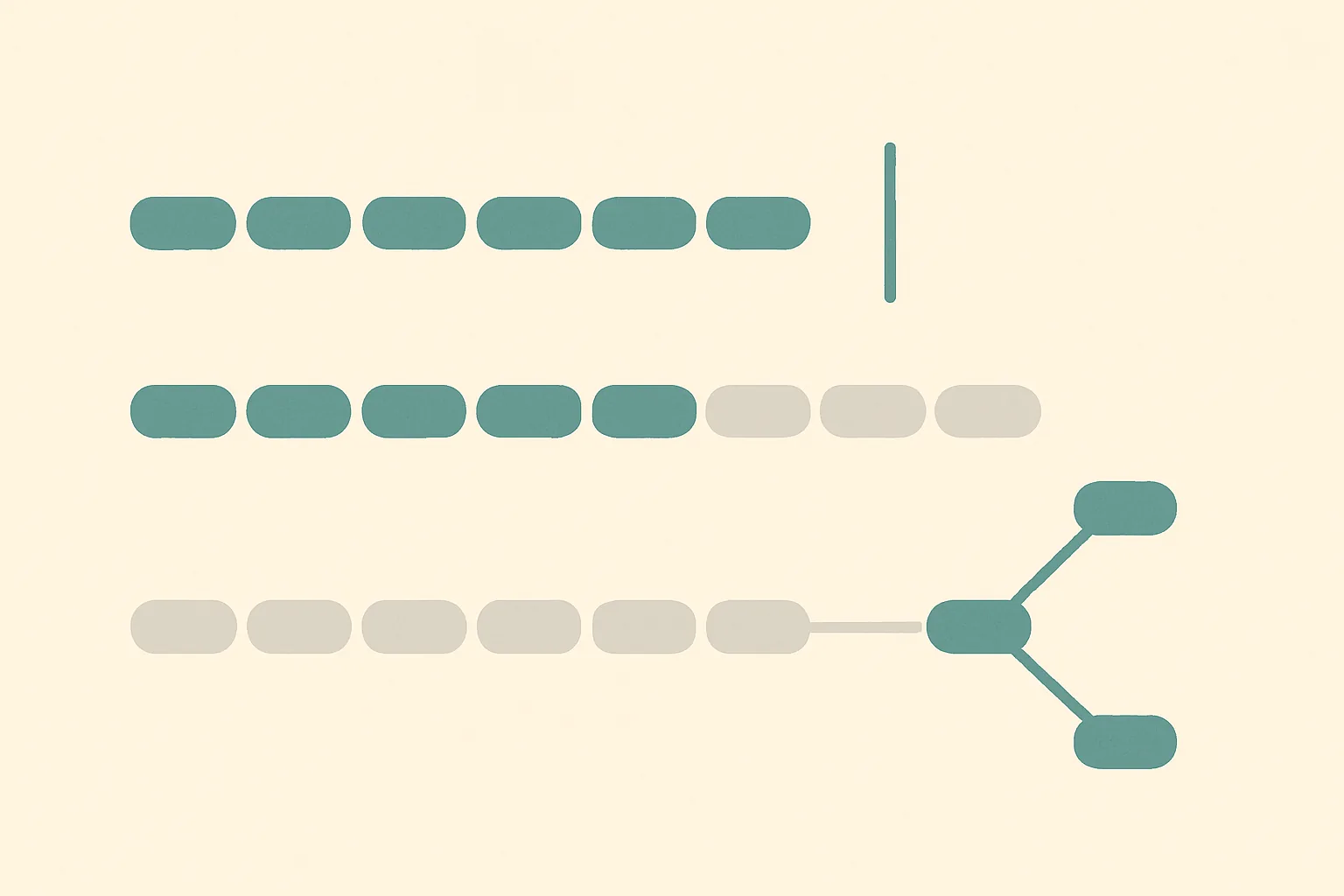
Quick answer, September 2026. Every comparison of AI app builders asks what happens when you want to leave. Almost none asks what happens when the vendor moves on without you. Those are different risks, and the second one arrives on a date you did not choose. Across the eight builders here, a platform change lands on a shipped app in one of three ways: the capability is disabled on a fixed date, the app is frozen so it keeps running but can no longer be edited, or you are grandfathered onto an old branch that works indefinitely while the product moves on without you. The received ranking says that owning your code protects you. On this axis it does not remove the problem. It changes who is on the hook, and it changes who is allowed to say no.
The three things a deprecation can do to a running app
Most people picture deprecation as breakage. In the documentation of these eight vendors, outright breakage is the rarest outcome and the loudest one. The other two are quieter and, for a business, usually worse.
Disabled. The vendor switches the capability off on your live app on a published date. This is the honest failure mode: it has a deadline, it generates email, and it forces a decision. Webflow has done this twice in the period this site has been tracking, retiring Logic on 27 June 2025 and User Accounts on 29 January 2026, in both cases removing a capability from sites that were already using it.
Frozen. The app keeps serving traffic exactly as before, and you lose the ability to change it. Nothing alerts you, because nothing is broken. You find out on the day you open the editor to make an urgent change.
Grandfathered. Your app is exempted and keeps working, possibly forever. The cost is not paid today. It is paid the first time you want a feature that only exists on the new branch, at which point you are facing a migration you did not budget for.
The comparison
Scroll to see more
| Builder | Documented removal from live apps | What happens to the running app | Reversible | Runway given |
|---|---|---|---|---|
 Softr Softr | Yes, SMS sign-in and individual blocks | Grandfathered, then frozen for editing | Snapshot saved before migration | Explicit, with a dated notice |
 Bubble Bubble | Version control system replaced | Auto-upgraded, or opt-in | No, permanent | Opt-in prompt |
 Lovable Lovable | No, older stack still runs | Grandfathered on React plus Vite | Yes, via version history | Open-ended |
 Webflow Webflow | Yes, twice, plus CLI commands | Disabled on a fixed date | No | Dated notice, warnings on CLI |
 v0 by Vercel v0 by Vercel | Not documented as removal | New features gated to latest runtime | Per-version, via chat history | Not published |
 Replit Replit | Not documented | Not documented | Git history | Not published |
 Base44 Base44 | Not documented | Not documented | Data version history, upper plans | Not published |
 Bolt.new Bolt.new | Not documented | Not documented | Version history and Git | Release notes only |
"Not documented" is not a compliment and it is not an accusation. It means the vendor publishes no deprecation policy, so you cannot know the answer before you need it.
Softr is the most transparent, and it shows you the frozen failure mode
Softr is the only builder here that publishes all three outcomes plainly, which makes it the best place to see what they actually feel like.
On grandfathering, Softr retired SMS sign-in and told existing users to do nothing at all.
Softr, verbatim: "On 13th June 2024, we discontinued SMS code as a sign-in method in Softr apps. Don't worry, if your apps have SMS sign-in, they'll continue to work for your users. No action is needed."
That is a good outcome and a clean notice. The same page explains the reason honestly, describing the feature as a technical debt that was blocking improvements to user management. New apps cannot have it. Existing apps keep it.
The larger case is Softr's app-version split. On 12 February 2025 the platform launched new authentication, headers, footers and utility pages. Apps built before that date are legacy apps, and Softr is unusually direct about the fact that you do not have to move.
Softr, verbatim: "Migrating your app from legacy has several benefits, but is totally optional - your app will continue to work whether you migrate or not!"
The caveats are where the real cost sits. Apps must be converted one at a time. Not every block is compatible with the new version. And if your signup collects extra information from users, Softr says the new version does not yet support that, so migrating may not be an option for you at all. Grandfathering is comfortable right up to the point where a new feature you want is only on the far side of a migration you cannot complete.
Then the frozen case, which is the single most useful sentence in this whole comparison.
Softr, verbatim: "A deprecated block will still work in your published app, but its settings can't be changed."
Read that again with an operational eye. The block renders. Customers use it. Analytics look normal. Nothing fails. And the configuration is sealed. There is no incident, no alert and no deadline, so nothing prompts you to act until the day you need to change a setting, which in practice is the day something has gone wrong elsewhere and you are in a hurry.
Bubble is the only one where the migration itself is one-way
Bubble replaced its linear version control with a branch-based system, and the transition has two paths. If version-test is your only development version, Bubble upgrades you automatically and version-test becomes your Main branch. If you have more than one custom version, you are asked to opt in. The warning attached to that opt-in is the thing to notice.
Bubble, verbatim: "The upgrade to the new version control system is permanent and cannot be undone."
Every other migration in this comparison has a way back. Softr saves a snapshot of the old app automatically. Lovable lets you revert the whole upgrade from version history. Bubble's is a door that locks behind you. That is not automatically wrong, and a branch-based model is genuinely better than what it replaced, but it belongs on the list of decisions you make deliberately rather than by clicking through a prompt.
Lovable moved its default stack and left old projects alone
Lovable's newest template is TanStack Start, which renders pages on the server. It became the default for new projects on 13 May 2026, and for new Enterprise projects on 22 June 2026. Projects built on the older React plus Vite stack were not touched.
Instead Lovable offers an in-place upgrade, and the design of it is the most careful in the group. The rewrite happens inside your existing project and carries your design, content and backend across. Your published site keeps serving the old version until you publish again, so the upgrade is staged rather than live. The whole thing can be reverted from version history. It is treated as ordinary build usage, so it consumes credits.
This is the grandfathered pattern done well: nothing was taken away, the new capability is real and the reason to move is stated in terms of what you gain. It is still a fork. A project that never upgrades is a project that cannot use features which require the new template, and that set only grows.
Webflow is the one that removes things, and the one that warns you properly
Webflow is the only builder here with a track record of disabling capability on live sites, and it is worth being precise about why that is not simply the worst position on the table. Both removals came with dated notices. A deadline is information. It is unpleasant information, but you can plan against it, and the alternative is a frozen block that tells you nothing.
Its developer tooling shows the same instinct at a smaller scale. Webflow CLI 2.0 renames several commands and raises the minimum Node.js version to 22.13.0.
Webflow, verbatim: "The commands from the previous version still work but emit deprecation warnings because they will be removed in a future version."
That is a textbook runway: the old path keeps working, it tells you it is going away, and the removal is signposted before it happens. The contrast with a silently frozen block is the whole argument of this article.
v0, Replit, Base44 and Bolt publish nothing to plan against
The remaining four have no published deprecation policy. That is not evidence of stability, and it should not be read as a clean bill of health.
v0 does show the fork pattern in miniature, and it is instructive because it is a new capability rather than a removal.
v0, verbatim: "Design mode is only available on chats that use the latest preview runtime, and only on the latest version of the chat."
Nothing was taken away from anyone. A new capability simply does not reach older work. That is the same shape as Lovable's template split and Softr's legacy apps, and it is the most common way these platforms actually move: not by removing, but by adding somewhere you are not.
For Replit, Base44 and Bolt.new, version history and Git integration give you a way to recover from changes you make. None of that helps with a change the platform makes, because the platform's decision is not in your commit log. The honest reading is that these four have short enough histories that the question has not been tested in public, and you should price that as unknown rather than as safe.
The part that inverts
The standing advice on this site, which holds on its own axis, is that owning the output protects you. On deprecation specifically, ownership does something narrower and more interesting than protection.
It does not remove the upgrade. A v0 project handed to you as a Next.js application has its own major versions, its own security support windows and its own breaking changes, and nobody at Vercel is going to do that work for you. Ownership moves the upgrade burden from the vendor's roadmap onto your backlog. That is more work, not less.
What ownership actually buys is the right to decline. Webflow could disable Logic on every site because Webflow runs every site. Nobody can disable your exported Next.js app, because nobody else is running it. You can stay on an old version past its support window and accept the risk, which is a bad idea and is nonetheless your decision to make. On the managed platforms, that decision is not available at any price.
Which gives the actual ranking on this axis, and it is not the usual one. The best position is not the most locked-in or the most portable. It is the one with the most published information, because every outcome here is survivable if you knew it was coming. Softr, which is one of the most managed platforms in the comparison and would place poorly on portability, is the strongest here, because it documents grandfathering, freezing and deprecation in plain language with dates. Bolt, Replit and Base44 would place well on portability and place worst here, because there is nothing to plan against.
And the failure mode to fear is not the one with a deadline attached. A disabled feature is loud, dated and budgeted. A frozen block is silent, and you meet it on your worst day. If you are auditing a builder on this axis, the question to ask is not "has this vendor removed anything", it is "when this vendor stops maintaining something, does my app tell me". The same reasoning applies to how changes reach your users in the first place, which is a separate question about pushing updates to a live app.
Verdict, September 2026
Softr ranks first on this axis, on documentation rather than on stability. It publishes dated notices, tells you plainly when no action is needed, and states the frozen-block behaviour that the others leave you to discover. That transparency is worth more than an unblemished record.
Webflow ranks second despite being the only builder that has removed live capability twice, because both removals were dated and announced, and its CLI deprecation warnings are the best-signposted runway here.
Bubble ranks third. The documentation is good and the automatic path is sensible, but the one-way upgrade is the sharpest irreversible step in the comparison and deserves to be a deliberate choice.
Lovable ranks fourth. The template migration is the best-engineered in the group, staged and revertible, and it loses ground only because it is a single documented instance rather than a policy.
v0 by Vercel, Replit, Base44 and Bolt.new are unranked here rather than ranked last. They publish no deprecation policy, so the correct assessment is that this is untested, not that it is safe.
If you remember one thing: check whether your builder tells you when it stops maintaining something you are using. Not whether it has broken anything yet.
Sources
All URLs verified reachable on 25 September 2026.
- Softr, "Migrating App Versions", the 12 February 2025 split and the optional-migration statement: https://docs.softr.io/application-settings/migrating-app-versions
- Softr, "Sign in with SMS Code (deprecated)", the 13 June 2024 discontinuation and grandfathering notice: https://docs.softr.io/add-and-manage-users/sign-in-with-sms-code-deprecated
- Softr, "Block Version Update", deprecated blocks keep working but cannot be reconfigured: https://docs.softr.io/application-settings/block-version-update
- Bubble, "Transitioning from the legacy version control", the permanent upgrade and automatic path: https://manual.bubble.io/help-guides/maintaining-an-application/version-control/transitioning
- Lovable, "Upgrade a project to TanStack Start", default dates, in-place upgrade and revert path: https://docs.lovable.dev/features/upgrade-to-tanstack-start
- Webflow, "Migrating to CLI 2.0", deprecation warnings and the Node.js minimum: https://developers.webflow.com/cli/migration
- v0 by Vercel, "Design mode", the latest-preview-runtime gate: https://v0.app/docs/design-mode
- Bolt.new, "Release Notes", the only change-communication surface published: https://support.bolt.new/release-notes
- Replit, "Version control": https://docs.replit.com/learn/projects-and-artifacts/version-control
- Base44, "Data version history", plan gating for restore of earlier app data: https://docs.base44.com/Enterprise/data-version-history
Two dates in this article, the Webflow Logic retirement of 27 June 2025 and the User Accounts retirement of 29 January 2026, are carried forward from this site's earlier comparisons, where they were quoted from Webflow's own sunset notices. Webflow's help centre returns HTTP 403 to automated clients, so those two notices were not re-fetched for this article and are cited here as previously documented rather than as freshly verified.
Written by
Builderdex EditorialFrequently asked questions
What is a platform deprecation in an AI app builder?
It is a change the vendor makes to its own platform that reaches an app you have already shipped. It differs from vendor lock-in, which is about your ability to leave, because a deprecation arrives on a date the vendor chooses whether you intended to change anything or not. In the documentation of the eight builders compared here it takes three forms: the capability is disabled on your live app, the app keeps running but can no longer be edited, or your app is grandfathered onto an older branch while the product moves on.
Which AI app builders have actually removed a capability from live apps?
Webflow is the only one in this comparison with a public record of doing it more than once, retiring Logic on 27 June 2025 and User Accounts on 29 January 2026. Softr has discontinued individual features such as SMS sign-in, but grandfathered existing apps rather than disabling them. Bubble replaced its version control system. Lovable changed its default template without touching older projects. v0 by Vercel, Replit, Base44 and Bolt.new publish no deprecation policy, which means the question is untested rather than answered.
Is a frozen app worse than a disabled feature?
Operationally, usually yes. A disabled feature has a published date, generates notice and forces a decision you can budget for. A frozen component keeps serving traffic normally, so no monitoring fires and nothing prompts you to act. Softr documents this case directly, stating that a deprecated block will still work in a published app but its settings cannot be changed. You discover it the first time you open the editor to make a change, which is typically the moment you are already under pressure.
Does owning the source code protect me from deprecations?
Not in the way most comparisons imply. Exporting a Next.js application from v0 does not remove the upgrade problem, it transfers it. That application has its own major versions, security support windows and breaking changes, and the builder does not maintain them for you, so ownership means more upgrade work rather than less. What ownership genuinely provides is the right to decline. A managed platform can change your running app because it runs your app; nobody can change an application you host yourself.
Which builder handles deprecation best in September 2026?
Softr, and on documentation rather than on stability. It publishes dated notices, states plainly when no action is required, and is the only vendor here that documents the frozen-component behaviour. Webflow ranks second because both of its removals were dated and announced and its CLI emits deprecation warnings before commands are removed. The builders that publish nothing are unranked rather than ranked last, since an absence of policy is an absence of evidence in both directions.
Are these migrations reversible?
It varies, and one is not. Softr automatically saves a snapshot of the old app before a version migration. Lovable's TanStack Start upgrade can be reverted from project version history, and the published site continues serving the previous version until you publish again. Bubble is the exception: its documentation states that the upgrade to the new version control system is permanent and cannot be undone. That makes it the one step in this comparison that should be a deliberate decision rather than a click-through.
How do I audit a builder on this axis before committing?
Ask three questions of the vendor documentation rather than of the sales page. First, is there any published deprecation or sunset policy at all, and does it commit to a notice period. Second, when something is retired, does the vendor state what happens to apps already using it, specifically whether they are disabled, frozen or grandfathered. Third, is there a changelog or release-notes surface you can subscribe to, so that a change reaches you before it reaches your customers rather than after.
Related comparisons

AI App Builder Vendor Lock-In (2026): The Five Layers, and Why Your Weakest One Sets the Bill
A 2026 scorecard of vendor lock-in across six AI app builders, scored on five independent layers: code, data, identity, runtime, and what the exit itself costs. Your migration bill is set by your weakest layer, not your average.
AI App Builder Background Jobs (2026): What Runs When Nobody Is Watching
Every AI app builder can run code. Far fewer can run it on a clock that survives your browser closing. Eight builders compared on whether background work runs unattended, where the schedule is actually stored, and whose permissions it runs under.

AI App Builder Database Restore (2026): Undoing the Code Does Not Undo the Data
Every AI app builder has an undo button. Most of them rewind your code and leave your database exactly where it was. We compare what eight builders actually document about restoring data, in their own words.