AI App Builder Database Restore (2026): Undoing the Code Does Not Undo the Data
Every AI app builder has an undo button. Most of them rewind your code and leave your database exactly where it was. We compare what eight builders actually document about restoring data, in their own words.
Isometric illustration of two separate undo dials on two slabs turned to different angles, with a visible seam between them
On this page
Quick Answer
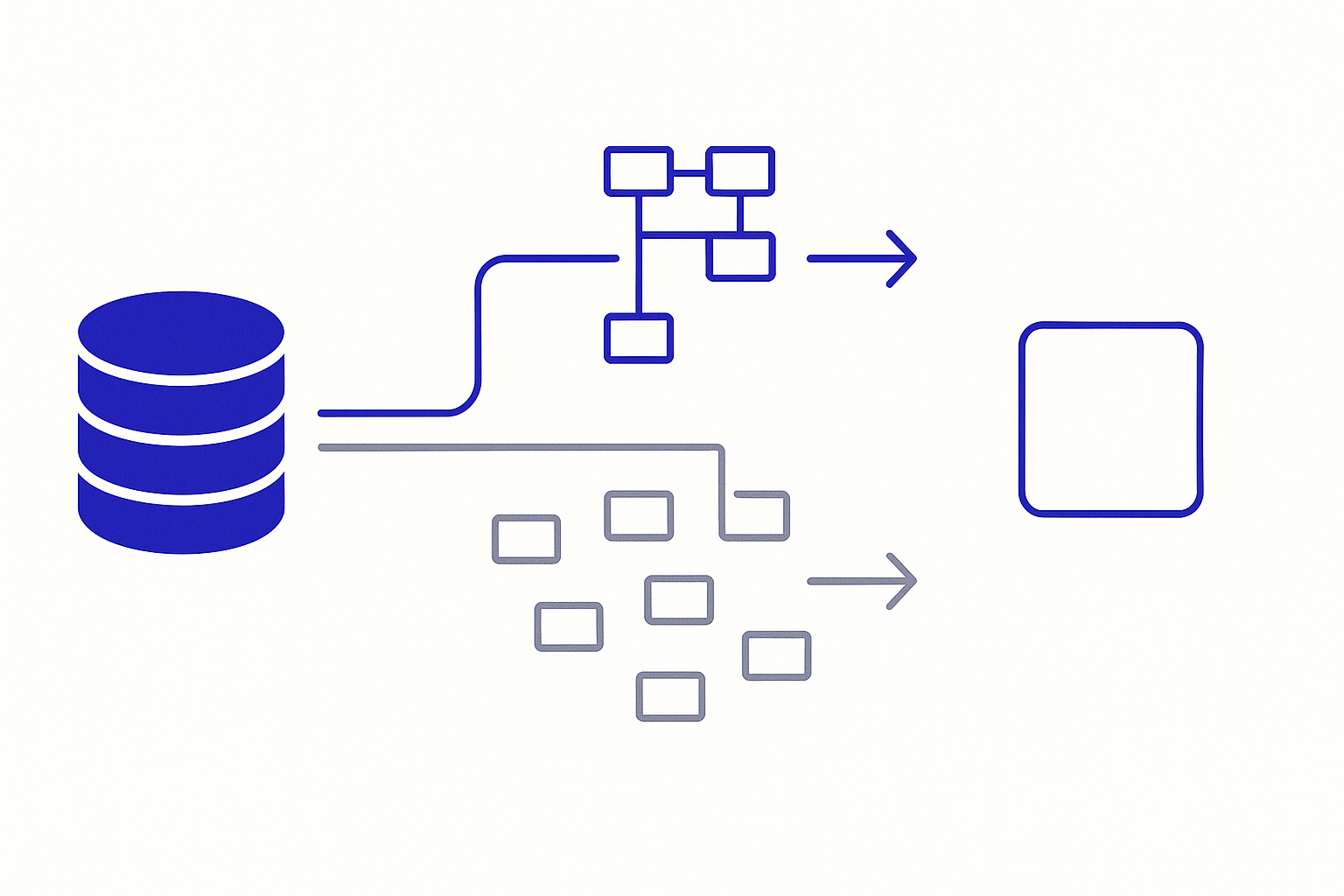
Every builder here ships an undo button. The question that decides whether it saves you is which of your two systems it rewinds, because an AI app builder has two: the code the model writes, and the database underneath it. They are almost never the same button, and the vendors say so themselves.
Replit puts it most plainly of anyone in this comparison: "Restoring your database doesn't restore your app's code, and rolling back your app doesn't restore your database." That sentence is the whole category in one line.
A second question separates them again, and it is the one people meet at the worst possible moment: when you do press the data button, what comes back? Not one of these builders answers that the same way.
Lovable documents both directions and warns about both. Reverting code leaves data untouched; restoring the database reverts schema and data and may leave your app no longer matching it.
Replit is the only builder whose checkpoint can capture code and database together, but the database is an opt-in checkbox on the rollback dialog and covers the development database only.
Bolt.new is unambiguous in the other direction: "Restoring to an earlier project version will not change your current Bolt or Supabase databases."
Softr runs two named systems side by side and tells you they are not substitutes, and its database restore deliberately does not roll back in place.
Bubble has the sharpest edge case in the category: deleting a field does not delete the data in it.
If you only remember one thing: rehearse the undo before you need it, and rehearse it on the database, not on the code.
Why "can I undo it" has two different answers
Version history stopped being a differentiator some time ago. All eight builders in this comparison save your work as you go, all eight let you look at an earlier state, and most of them let you name or bookmark the ones you care about. That layer is solved.
What is not solved is the seam. An AI agent that changes your app usually changes two things at once: it edits code, and it changes the shape or the contents of your data. Those two changes land in two different systems with two different histories, two different retention windows and, on most of these platforms, two different buttons. The undo you reach for instinctively is the one attached to the chat, and on six of the eight builders here that button is wired to the code only.
This is not a gap the vendors are hiding. Four of them document it explicitly, two of those in a dedicated warning block. The problem is that the warning sits on the page about reverting and the counterpart sits on the page about backups, so you almost never read both on the same day. Collecting them in one place is most of the value of this comparison.
The three axes below are the ones that actually change what you should do: which button touches the database, what comes back when you press it, and which changes no button reaches at all.
Axis 1: which undo button touches the database
The code button, and what the vendors say it does not do
Lovable saves a version on every change with no save button, and its revert is genuinely good: preview any version, diff it, jump to the chat message that caused it, bookmark the stable ones. Then it puts a warning block directly under the revert instructions.
Lovable, verbatim:"Reverting restores your project's code only, and redeploys your app's edge functions to match. It does not restore or roll back your database data. If messages after that version added records, changed data, or ran migrations against your data, reverting the code does not undo those data changes."
Its FAQ repeats the point even more bluntly: "What happens to my database when I revert? Nothing."
Bolt.new reaches the same answer in one sentence, under a heading called "Version history and database restores": "Restoring to an earlier project version will not change your current Bolt or Supabase databases." Bolt offers four ways to restore a project (version history, chat history, a downloaded copy, GitHub) and every one of them is a code path. Its database documentation covers tables, security, logs and secrets, and describes restarting a database to fix a connection, but documents no database backup or point-in-time restore.
v0 by Vercel is code-only by architecture rather than by omission, and that is a defensible position: it has no database of its own, so your data lives in Neon, Supabase or Snowflake and is subject to that provider's recovery tools rather than v0's. Its own restore has an unusual shape worth knowing: "Restoring an old version creates a new, most recent version using the restored code to maintain a linear version history." Nothing is rewound. A previous state is copied forward and becomes the newest state.
Softr is the one that names the split most usefully, because it runs two separate features and dedicates a documentation section to telling you they are different things.
Softr, verbatim:"Snapshots capture your data, the contents and structure of a database. App History captures your app, its pages, blocks and settings. Restoring an earlier app version does not bring back deleted records."
Softr also publishes an exclusion list for App History that is easy to miss and expensive to discover: page name or path changes, app name changes, domain setup, and adding, editing or deleting users are not covered and cannot be undone.
The one builder that puts both on the same screen
Replit is the exception, and it earns the distinction. Its Agent checkpoints capture, in its own words, "not just your code changes, but project files, AI conversation context, and connected databases", and it lists database contents explicitly as "the data and schema of your database at the time of checkpoint creation".
So Replit is the only builder here that can bring code and data back to the same moment in one operation. Two qualifications matter, and Replit documents both.
Replit, verbatim:"By default, rollbacks do not change your database. To include your development database in a rollback, select Database in Additional rollback options."
The capability is real and it is off unless you tick a box. And the box covers the development database. Production is a separate mechanism: a point-in-time restore, documented on its own page, with its own retention window.
That page also contains the sentence that best summarises this entire comparison, and it is the reason Replit ends up leading this axis despite the opt-in default. It states the problem and then gives you the procedure.
Replit, verbatim:"Restoring your database doesn't restore your app's code, and rolling back your app doesn't restore your database. To bring both back to the same moment: restore the database, then roll back to the matching checkpoint and publish."
That is a two-step manual reconciliation rather than a single atomic undo. It is still the most complete answer in the category, because it is the only one that treats the seam as a thing the user has to be walked across.
The builders with a data button but no code button that reaches it
Base44 approaches from the data side. It keeps automatic version history per entity, so you restore a table rather than a project, and the restore is itself reversible: "Base44 saves your current data as a backup version before a restore. To undo a restore, open the version history again and restore that backup." Being able to undo the undo is rarer than it should be.
Webflow is the only builder here whose single restore genuinely covers both sides at once, because in Webflow the CMS is part of the site rather than a separate system. Its backup restore explicitly affects CMS Collections and Collection item IDs, Ecommerce Collections and inventory levels, scheduled Collection items, reCAPTCHA keys, comments and locales. Webflow also makes no pretence about cadence: "Webflow doesn't offer scheduled backups, but restore points are created automatically on every 50th auto-save."
That is an action-counted cadence rather than a time-based one, which Softr shares in a different form (an App History snapshot every 10 actions). It means your safety net is dense during heavy editing and stale during a quiet week, which is the opposite of what most people assume.
Axis 2: what actually comes back when you press it
Having a data restore is not the same as having the restore you imagined. Three shapes exist in this category and they are genuinely different products.
In place, or beside the original
Softr is the clearest case of the road not taken, and it is a deliberate design rather than a limitation.
Softr, verbatim:"Restoring does not roll your database back in place. It creates a separate copy, which means you can restore freely without risking the data you have now."
The restored database appears in your list named "Restored:" plus the original name, and your apps keep reading the original until you repoint them. The upside is real: a restore can never destroy anything, so you can do it speculatively and compare. The cost is that a restore is not a recovery. It is the first step of one, and the reconciliation is yours.
Lovable is the opposite and says so in a warning: "Restoring is permanent. Any data created or changed after the chosen backup is lost." Its restore rolls the database back in place, schema and data together, with the database unavailable for a few minutes while it runs.
Then comes the sentence that closes the loop on this entire article, and it is the mirror image of the revert warning quoted earlier.
Lovable, verbatim:"Because the schema is also reverted, your app may no longer match the database if it changed after the backup."
Read the two Lovable warnings together and the shape is unmistakable. Rewind the code and your data is now ahead of it. Rewind the data and your code is now ahead of it. Both doors leave a mismatch, and Lovable is candid enough to tell you what to do about it: "ask Lovable in chat to test your app and patch any schema mismatches."
One table, or the whole database
Granularity varies more than anything else on this axis.
Base44 restores a single entity, and it documents the consequence honestly: "Only the table you selected is restored. Every other table keeps its current data, so to roll related tables back together, restore each one to a version from the same point in time. Otherwise a link can end up pointing at a record that no longer exists."
Referential integrity across a multi-table rollback is the user's job. In its favour, record IDs survive a restore, so links from other tables still resolve, and records added after the chosen version are moved to trash rather than destroyed.
Softr sits at the other extreme and is equally explicit: "Snapshots apply to the entire database. You cannot snapshot a single table or view." Whole-database granularity avoids Base44's dangling-reference problem by construction, and removes the option of a surgical fix.
Lovable is whole-database and daily. Its own FAQ sets the expectation precisely: "Lovable takes one backup per day and retains up to roughly 14 days of backups. You can restore to any of those daily snapshots, not to an arbitrary moment between them." If a bad migration ran four hours ago, the nearest clean point may be twenty hours before it.
The mismatch you inherit either way
The most under-documented failure in this whole category is restoring data into a schema that has moved on. Base44 is the only builder that documents what happens.
Base44, verbatim:"If the table's structure changed after the version you picked, Base44 warns you in the confirmation window. Fields that no longer exist in your table are not restored."
That is the right behaviour and it is worth pausing on, because it means a data restore silently returns less than it captured whenever a schema change sits between the two points. You get the rows back, minus any column that has since been removed. Nobody else in this comparison documents this case at all.
Axis 3: the changes no undo button reaches
Two builders here document something stranger than an incomplete undo: a schema deletion that does not delete the underlying data. In both cases the residue is invisible in the editor and reachable through the API.
A deleted field that keeps its data
Bubble is the most detailed disclosure of its kind in the category, and it is a privacy finding rather than a recovery one.
Bubble, verbatim:"When you delete a field from a data type, the data stored in that field is not automatically removed. The field no longer appears in the editor and can't be used in workflows or design elements, but the underlying data remains in your database and may still be retrievable through API calls or visible in network responses."
The reason is deliberate and defensible: it preserves privacy rules that reference the field. But Bubble is candid about the trap that creates, because those rules "become invisible and uneditable once the field is deleted". Its recommended sequence is therefore to clear the data first and delete the field second, and permanent removal is a separate step through the Optimize application feature, after which "some items, like deleted data types, can no longer be restored".
So on Bubble a schema deletion is soft by default and irreversible once you make it hard. Both halves are worth knowing before you delete a field that held anything sensitive.
A deleted entity that keeps its rows
Base44 documents the same class from a different direction, in the reference page for its command-line entity sync.
Base44, verbatim:"Deleting an entity removes its schema from Base44. Existing data in that entity is not automatically deleted, but the entity will no longer be accessible through the SDK."
The surrounding mechanism deserves a flag of its own. That command performs a full sync from your local schema files, and its own table states that an entity present remotely but missing locally is removed. A schema definition you forgot to pull is a schema deletion you did not intend, and per the sentence above the rows stay behind afterwards.
The identifiers that move when everything else comes back
Webflow documents a third variant: a restore that returns your content but changes facts about it. Restoring a site updates the "Published on" date of Collection items to the current date and time. And there is a historical boundary that still matters for old projects, because backups created before 25 March 2024 reset Collection and item IDs on restore and break API calls and third-party connections that reference them. Backups made after that date do not.
A restore that succeeds and silently rewrites your publication dates is a good argument for testing the restore on a copy first, which on Softr is the only thing a restore can do.
The comparison table
Documentation posture as published by each vendor in September 2026. "Not documented" means the vendor's public documentation does not describe it, which is not the same as absent.
Scroll to see more
Builder
Does the code undo touch data
Dedicated data restore
Granularity
In place or a copy
Documents the code/data seam
Lovable
No, stated in a warning
Yes, daily, roughly 14 days
Whole database, schema and data
In place, permanent
Yes, both directions
Replit
Optional, opt-in checkbox, dev DB
Yes, checkpoint plus production point-in-time
Whole database
In place
Yes, with a two-step procedure
Bolt.new
No, stated explicitly
Not documented
n/a
n/a
Partly, one sentence
Base44
Not documented
Yes, per entity
Single table
In place, itself undoable
Schema drift only
v0
No, no first-party database
Provider's, not v0's
n/a
Forward-only copy of code
Not documented
Bubble
Not documented
Not documented
n/a
n/a
Deleted-field residue only
Webflow
Yes, CMS is part of the site
Same restore
Whole site plus CMS
In place
Not applicable, one system
Softr
No, two named systems
Yes, database snapshots
Whole database
A new database beside it
Yes, a dedicated section
The details that decide whether it works at all
Retention is short, and shorter than people assume. Lovable keeps roughly 14 days of daily backups. Replit's production point-in-time restore starts at 7 days on every plan and can be extended up to 28 on higher tiers, with longer windows costing more storage; the documentation also notes that moving down from Pro to Core reduces the window back to 7 days, which is a quiet way to lose a safety net you thought you had. Base44's data version history is available on its Elite and Enterprise plans and retains 7 and 30 days respectively (Base44 documentation, 2026). Treat all of these as figures to re-check rather than to rely on, and design so that a bad change is caught in days rather than weeks.
Backups may not include everything you think of as your data. Lovable states that database backups cover the database only, both schema and data, and that files in storage buckets are stored separately and are not part of database backups or database exports. If your app's real content is uploaded files, the database restore is not your recovery plan. We looked at where those files actually live in how AI app builders handle file storage.
Some builders guard the destructive change instead of the recovery. Lovable prompts for confirmation when a SQL query contains DELETE, DROP, TRUNCATE, ALTER or UPDATE, applies schema changes as reviewed migrations, and inside a draft will not remove or rename tables or columns at all, preferring to add a new one to reach the same result. Prevention is a different strategy from recovery, and on the evidence in this comparison it is the one being invested in fastest.
A restore has an availability cost. Lovable's database is unavailable for a few minutes during a restore. Base44 pauses editing on a table while its restore runs, for a duration that scales with the number of records. Neither is a problem if you know it before you start.
Very old versions may be viewable but not restorable. Lovable keeps every version and lets you preview all of them, but beyond a certain age the revert button is disabled with the tooltip "Cannot revert this far back in history". A visible history is not the same as a recoverable one.
Who is allowed to press the button matters. Webflow limits backup access to site managers. Base44 limits data version history to users with editor access on the app. On a team, the person who notices the problem may not be the person who can fix it.
Restoring is not exporting. Every mechanism in this article is a recovery inside the platform. Whether the same data can leave it is a different question with different answers, which we scored separately in what happens to your database when you leave.
Verdict, September 2026
Replit leads this axis, and the reason is durable rather than featural: it is the only builder that treats code and data as one recoverable state, documents the seam between them in plain language, and gives you an explicit procedure for bringing both back to the same moment. The opt-in checkbox and the development-only default are real caveats and we have not softened them, but the alternative on most of this list is a code button and a shrug.
Lovable is the strongest documentation posture in the category and would lead on candour alone. It has both mechanisms, warns about both failure directions in the vendor's own words, guards destructive SQL, and applies schema changes as reviewed migrations. What keeps it second here is that the two systems remain genuinely separate, so reconciling them stays a manual job after either kind of restore.
Webflow is the quiet structural winner for content-shaped projects, because it never has the problem: the CMS is part of the site, so one restore covers both. That advantage does not transfer to application data, and the item-ID and publication-date side effects are real.
Softr is the safest restore and the least complete one. Nothing it does can destroy your current data, which is genuinely valuable and rarer than it should be. It also means a restore hands you two databases and a decision rather than a fixed app.
Base44 is the most surgical, at single-table granularity with an undoable restore and honest documentation of schema drift, and the most exposed to referential problems across tables.
Bolt.new and v0 are code-first and say so. For v0 that is coherent, because your database belongs to a provider with its own recovery tooling and you should evaluate that provider on this axis instead. For Bolt.new it is a genuine gap: it has a first-party database and documents no restore path for it.
Bubble is a category of its own on this question. Its version history is not the issue; the deleted-field residue is, and it is a data-exposure question rather than a recovery one.
What to do, whichever you choose. Rehearse a database restore on a throwaway project before you need one, because every mechanism here has a shape that surprises somebody. Take a manual restore point immediately before any change to the data model, since that is the change no code revert will save you from. And if your builder has two undo buttons, write down which one you would press first, because the moment you need to know is not the moment to find out.
Sources
All claims verified against primary vendor documentation on 9 September 2026.
Lovable, "Revert and restore your project with version history" and "Database" (Lovable documentation, 2026)
Bolt.new, "Backups, restore, and version history" and "Database: Advanced settings" (Bolt support documentation, 2026)
Replit, "Checkpoints and Rollbacks", "Data recovery" and "Version control" (Replit documentation, 2026)
v0 by Vercel, versioning and restore sections of the v0 documentation bundle (Vercel, 2026)
Base44, "Data version history" and the "entities push" CLI reference (Base44 documentation, 2026)
Bubble, "Data types and fields" (Bubble manual, 2026)
Webflow, "Save and restore backups" (Webflow Help Center, 2026)
Softr, "Database Snapshots" and "App History" (Softr documentation, 2026)
The Builderdex editorial desk builds structured, criteria-based comparisons of AI app builders. We test every claim against primary vendor documentation and publish the source for each one.
Frequently asked questions
Does reverting to an earlier version restore my database too?
On most AI app builders, no. Lovable states that reverting restores your project's code only and does not roll back your database data. Bolt.new states that restoring an earlier project version will not change your current Bolt or Supabase databases. Replit is the exception: its checkpoints can include the database, but only if you tick the Database option in Additional rollback options, and only for the development database.
Which AI app builder has the most complete database restore in 2026?
Replit, on the strength of documenting both halves. Its checkpoints capture the data and schema of the development database, its production database has a separate point-in-time restore, and its documentation gives an explicit two-step procedure for bringing code and data back to the same moment. Lovable has the most candid documentation of the two mechanisms but keeps them fully separate.
What happens if I restore data into a schema that has changed since?
Base44 is the only builder in this comparison that documents this case. It warns you in the confirmation window if the table's structure changed after the version you picked, and fields that no longer exist in your table are not restored. Lovable takes the opposite approach and reverts schema and data together, warning that your app may then no longer match the database.
Does deleting a field in Bubble delete the data in it?
No. Bubble documents that when you delete a field from a data type, the data stored in that field is not automatically removed, and the underlying data may still be retrievable through API calls or visible in network responses. The behaviour preserves privacy rules that reference the field, but those rules become invisible and uneditable. Bubble recommends clearing the data before deleting the field, with permanent removal handled separately through Optimize application.
Does a Softr database restore roll my database back?
No, and that is deliberate. Softr documents that restoring does not roll your database back in place; it creates a separate copy, which appears in your database list prefixed with Restored. Your apps keep reading the original database until you connect them to the restored one. It means a restore can never destroy your current data, and also that reconciling the two is your job.
How far back can I restore an AI app builder database?
Windows are short and vary by vendor and plan. Lovable retains roughly 14 days of daily backups. Replit's production point-in-time restore starts at 7 days on every plan and extends up to 28 days on higher tiers. Base44's data version history is offered on Elite and Enterprise plans with 7 and 30 day windows respectively. Verify current windows against vendor documentation before relying on any of them.
Do database backups include uploaded files?
Not on Lovable, which states that backups cover the database only, both schema and data, and that files in storage buckets are stored separately and are not part of database backups or database exports. If most of your app's value is uploaded files, a database restore is not a complete recovery plan and you need to check how your builder handles file storage separately.
A criteria-based 2026 scorecard of database portability across six AI app builders: v0, Bolt.new, Lovable, Replit, Base44, and Bubble. Whose account holds the data, who gives you a connection string, and why a CSV export is not the same as a portable database.
A 2026 scorecard of vendor lock-in across six AI app builders, scored on five independent layers: code, data, identity, runtime, and what the exit itself costs. Your migration bill is set by your weakest layer, not your average.
A landing page has three jobs: look right, capture a response, and get published where people can find it. We read eight AI app builders' own documentation to see which jobs each one has actually designed for in 2026.