AI App Builder Email Sending (2026): Who You Are Allowed to Email
Every AI app builder can send an email. What separates them is whose domain is in the From field, who your app is permitted to email at all, and how many you get per hour. Eight builders compared from primary vendor documentation.
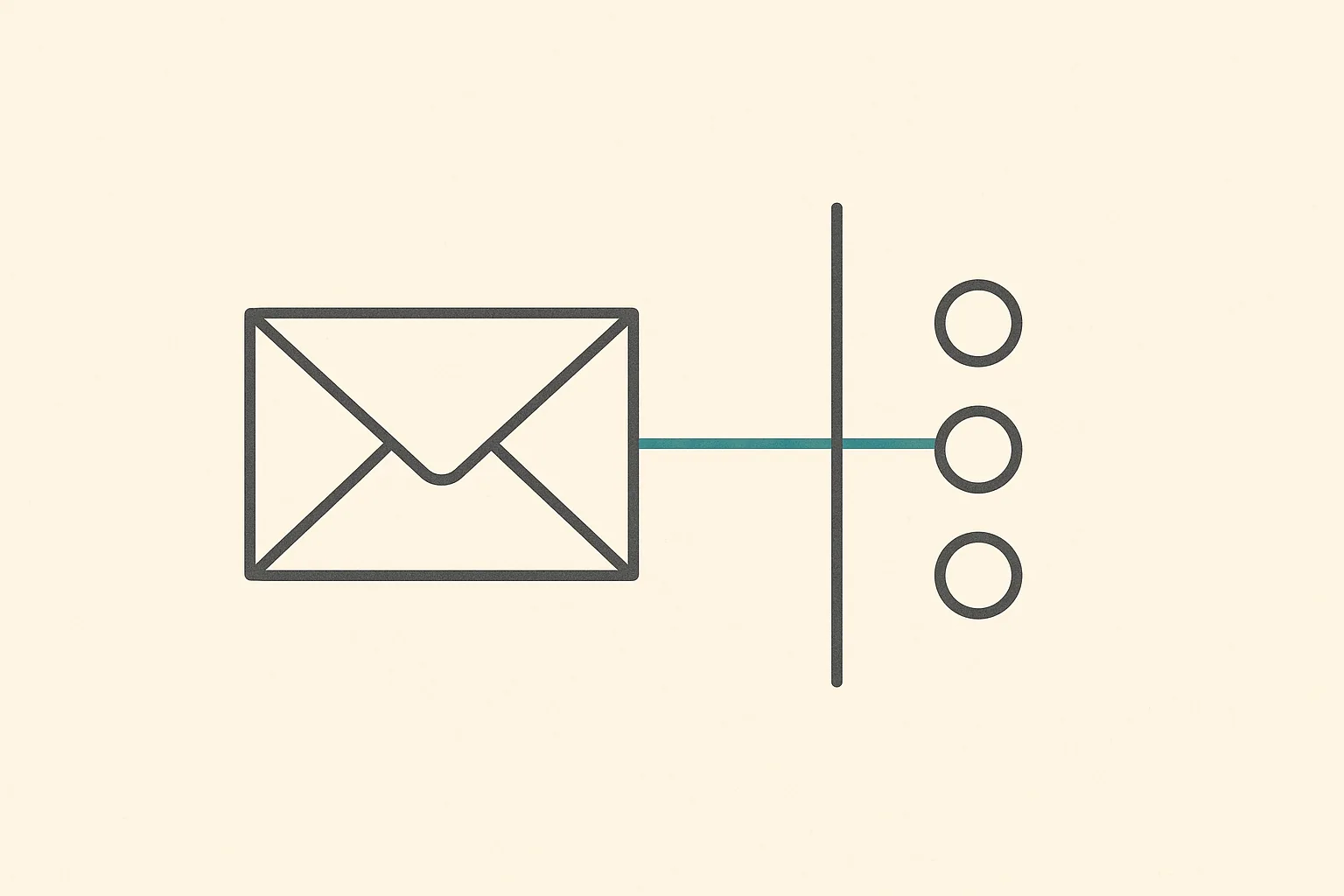
Flat illustration of a charcoal outline envelope on a pale background, with one teal line running right, crossing a vertical charcoal barrier, and reaching only one of three small circles while the other two stay unconnected.
On this page
Quick Answer
Every AI app builder in this comparison can send an email. That is not the question worth asking in 2026. The three limits that decide whether your app actually works are the ones almost nobody checks before launch: whose domain sits in the From field, who your app is permitted to email at all, and how many of those you get per hour.
The middle one is the surprise. On two of these platforms, who is allowed to receive your email is a billing boundary rather than a technical one.
Base44 preinstalls a SendEmail integration in every app with no API key and no setup. On any plan, including Free, it will email anyone who has signed up to your app. Emailing an address that has not signed up requires a paid plan and a verified custom domain, one recipient per call.
Webflow emails you, not your users. Form notifications go to addresses you nominate, and on the free Starter Site plan they are capped at five recipients who must all be Workspace members.
Lovable is the only platform here that configures SPF, DKIM and DMARC on your behalf. It is paid-plan only, it requires the built-in backend, and it refuses marketing email by policy.
Softr hands you four editable transactional templates on day one, with Softr's own informational text stamped into them and explicitly unremovable while you send from Softr's domain.
Bubble sends from a bubbleapps.io address until you paste in a SendGrid key, and the branded sender is gated behind a paid plan and a domain.
Bolt.new and Replit ship no sender at all. You bring Resend or SendGrid. The account, the domain and the sending reputation are yours from the first message.
v0 publishes no email-sending path in its documentation.
If you only remember one thing: the free tier of an AI app builder can send email, but it sends as the vendor, to a restricted set of people, at a throttled rate. The first email that looks like it came from your company is a paid feature on every platform here that supports one.
Why "can it send email" is the wrong question
Email is the quietest dependency in an application. Nobody demos it. It appears in the build plan as one line, usually "send a welcome email", and it looks solved the moment the first test message lands in your own inbox. Then the app launches, and email turns out to have been three separate things wearing one name.
The first is identity: the confirmation link, the password reset, the magic link. An app with accounts and no working password reset loses a user permanently the first time someone forgets a password. The second is notification: the receipt, the order confirmation, the status change. The third is reach: emailing somebody who is not yet a user, such as an invitation to a colleague, a waitlist confirmation, or a reply to a contact form.
Every platform here handles the first two. The third is where the category splits, and it splits along a line that has nothing to do with engineering. It is drawn on the pricing page.
Axis 1: whose name is in the From field
The default on every platform with a built-in sender is the vendor's own domain. That is reasonable engineering: a shared, warmed, monitored domain is far more likely to reach an inbox on day one than a brand-new one with no reputation. It is also, without exception here, the thing you pay to remove.
The managed path, where the platform does the DNS
Lovable is alone in this comparison in treating email domain setup as a product feature rather than a support article. Its documentation states plainly that it handles "domain verification, DNS configuration, email authentication (SPF, DKIM, and DMARC), and delivery infrastructure" and that "No external email provider accounts or API keys are required" (Lovable custom emails documentation, 2026).
It provisions a dedicated transactional subdomain in the shape notify.yourdomain.com, and its documentation gives the reason: "Using a dedicated email subdomain is recommended because it helps protect your root domain's reputation." That is a good default, and the kind of decision a first-time founder would not know to make.
The gates are equally plain: emails are on paid plans only, free plans fall back to "the default Lovable Cloud Auth sender", you must control the domain's DNS, and you must be a workspace admin or owner.
The guided path, where you paste the records yourself
Base44 splits the work by where you bought the domain. If the domain came from Base44, its documentation says you "do not need to add DNS records manually." If it came from an external registrar, you copy three CNAME records into your DNS and click Verify, with a DMARC TXT record listed as "optional but recommended" (Base44 custom email domain documentation, 2026).
Two details there matter more than the setup steps. The first is a plan gate: a custom email domain requires the Starter plan or above, one per app. The second is a scope limit that catches people out, and it gets its own section below: the custom email domain is send-only.
Until the domain verifies, Base44 keeps sending from no-reply@base44-apps.com, and its documentation is explicit that "Your app keeps sending from the default address until your email domain is active." Verification "usually takes a few minutes but can take up to 48 hours."
The handoff path, where the platform points at somebody else
Bubble's built-in provider is SendGrid, and the mechanism is a single field. Its reference states that if you do not add a key, emails are sent from a bubbleapps.io address built from your app name, in the shape your-appname-no-reply@bubbleapps.io (Bubble domain and email reference, 2026).
Supply a key and the app sends as admin@your_domain.com. Bubble adds a warning that is easy to miss and expensive to discover in production: because of SendGrid's sender identity rules, that address "has to be verified in your Sendgrid dashboard, otherwise the validation won't work." And the branded sender is itself gated. Bubble's own note reads: "This option is only available to users with a paid Bubble plan and domain."
Bolt.new does not ship a sender at all. Its documentation frames email as something you assemble from three parts it already has: a database that manages users, secrets that hold credentials, and server functions that do the sending. If you ask for email without naming a provider, "Bolt typically uses Resend", but the documentation is careful that "you still need to add your own Resend API key so Resend can send emails on your behalf" (Bolt send emails documentation, 2026).
Bolt's prerequisites are the strictest here, and they are worth reading before you plan a launch. You need a Bolt database, secrets configured, and "a published project with a custom domain attached." Email is not something you can wire up on a preview.
Replit reaches the same place by a different route. Its documentation does not describe SMTP or a built-in sender; it lists Resend and SendGrid as named first-party connectors, alongside AgentMail, described respectively as "Send transactional emails" and "Send and receive emails programmatically" (Replit connectors documentation, 2026). Authorisation is a permissions flow rather than a pasted key: "Review what the integration can access, then continue through the provider's sign-in and permissions flow." Where that credential is stored is not stated on the page.
Axis 2: who your app is allowed to email
This is the axis that decides whether a feature ships, and it is the one that appears in no comparison table anywhere. Two platforms here restrict the recipient, and in both cases the restriction is lifted by upgrading rather than by writing code.
The rule keyed on whether the recipient is already a user
Base44 draws the line at signup. Its documentation could not be clearer, and the sentence is worth reading twice: "On any plan, including the Free plan, your app can email anyone who has signed up to it. To email an address that has not signed up, your app needs to be on a paid plan and have a custom domain connected and verified. Each of these emails goes to one recipient at a time" (Base44 sending emails documentation, 2026).
Read that against a feature list. Welcome email to a new user: fine on Free. Password reset: fine on Free. Now consider what quietly requires emailing a stranger: an invitation flow where a user invites a colleague who has no account yet, a waitlist confirmation, an autoresponder on a contact form, a notification to a customer who bought something without registering. Every one of those needs a paid plan plus a verified custom domain before it can be built.
That is not a volume limit or an anti-spam throttle you can appeal. It is a structural boundary on which product you are allowed to build, stated on a page most people will not read until the feature does not work.
The rule keyed on whether the recipient is on your team
Webflow draws a different line in the same place. Webflow's form email is inbound by design: it tells you that a submission arrived. Its documentation states that "By default, Webflow sends form notifications to the email address associated with your account", and you can add recipients, a sender name, a reply-to address, a subject and a body (Webflow form submissions documentation, 2026).
Then the gate: "On the free Starter Site plan, form notification emails are limited to five recipients, and all recipients must be Workspace members. Upgrade your Site plan to add more recipients or notify people outside of your Workspace."
The shape is identical to Base44's even though the products are nothing alike. On the free tier you may email people already inside your account. Emailing anyone outside it is a paid feature. Two independent vendors landing on the same boundary is what turns this from a quirk into a pattern worth checking on any platform before you design a flow around it.
Webflow does email customers in one place, and it is worth naming precisely so the limit is not overstated: Ecommerce. Order confirmations and related store email go to customers, with templates you can restyle using dynamic fields, and you can resend an order confirmation from the order detail page (Webflow customize ecommerce emails documentation, 2026).
The rule keyed on what kind of message it is
Lovable restricts by message type rather than by recipient, and it does so permanently rather than for a fee. Its documentation answers the question directly: marketing email is not supported. Only transactional messages are, "such as signup confirmations, password resets, order confirmations, and shipping notifications", while "newsletters, promotional emails, product announcements, and similar messages are not supported."
That is a defensible policy for a managed shared platform and a hard product constraint at the same time. If your roadmap includes a weekly digest or a re-engagement campaign, Lovable's built-in email will not carry it and no upgrade changes that; those run through a connected provider such as Resend, Brevo or Mailgun instead.
Softr sits at the other end of the same axis. Its four built-in templates cover invitation by temporary password, invitation by magic link, a sign-in verification code and forgotten password (Softr user email notifications documentation, 2026). You can edit the subject, the content and the variables. What you cannot edit is Softr: "The greyed out Softr informational text cannot be changed or removed when using the Softr email sending domain. This is to protect email recipients and legitimate Softr users."
Softr's own documentation then tells you what to do about it, which is unusually candid: if you want more customised email, "consider using automation software (Make, Zapier) and a transactional email service provider". Its Resend integration is the first-party version of that advice, exposing twelve workflow actions including send, schedule, reschedule and cancel, plus contact and segment management (Softr Resend integration documentation, 2026).
Webflow charges for the same thing in the Ecommerce context: removing Webflow branding from the footer of store emails requires an Ecommerce Plus or Advanced site plan.
Axis 3: what happens on the day a hundred people sign up at once
The confirmation email is the single most load-bearing message any app with accounts will ever send. Nobody gets in without it. It is also, on the platform that manages email most thoroughly, the one that is rate limited by default.
Lovable documents a "Rate limit for sending emails" setting that "caps how many authentication emails your project sends per hour", and adds the symptom to watch for: "If your app signs up many users at once and confirmations stop arriving, this limit is the first thing to check" (Lovable email authentication documentation, 2026).
The remedy is the part that matters. To raise the cap, the documentation says, "first set up email sending for the project, either managed email or a verified custom domain." Managed email is a paid plan. So on a free Lovable project the throttle on new signups is lifted by upgrading and completing DNS verification, not by changing a setting.
Once you are on the managed path the numbers are published and generous: 50,000 transactional emails per month included per paid workspace, additional volume billed in credits, and a ceiling of 100 emails per hour per workspace "to protect deliverability and system stability", raisable by contacting support.
Base44 meters differently, by credit rather than by clock. Its documentation notes that standard emails on the default sending domain "typically consume ~1 integration credit per email, while emails sent from a custom email domain consume ~2 integration credits." Moving to your own domain, the thing that makes your email look legitimate, doubles its unit cost.
On Bolt.new, Replit and Bubble there is no platform throttle to discover, because there is no platform sender. Your limits are whatever your Resend, SendGrid or other provider account allows, which is a real advantage: those limits are documented by companies whose entire business is email, and they rise as you establish a sending history that belongs to you.
The comparison table
Scroll to see more
Builder
Built-in sender
Default From
Own domain
Who you may email
Credential custody
Lovable
Yes, requires built-in Cloud
Lovable Cloud Auth sender
Managed, auto SPF, DKIM, DMARC, paid plans
Transactional only, marketing refused
Lovable, no API keys
Base44
Yes, preinstalled, no key
no-reply@base44-apps.com
Three CNAMEs, Starter plan and above
Signups on any plan, non-signups need paid plus verified domain
Base44 built-in, or your Resend key
Softr
Yes, four templates
Softr sending domain
Not on the built-in sender
App users
Softr, or your Resend account
Bubble
Yes, via your SendGrid key
bubbleapps.io address
Your verified SendGrid sender, paid plan and domain
Whatever SendGrid permits
Yours, SendGrid key
Bolt.new
No
n/a
Your provider's, needs published project plus custom domain
Whatever your provider permits
Yours, key stored as a secret
Replit
No
n/a
Your provider's
Whatever your provider permits
Connector sign-in flow, storage not stated
Webflow
Yes, inbound notifications
Webflow
Not documented for form email
Free Starter: five Workspace members only
Webflow
v0
None documented
n/a
n/a
n/a
n/a
Documentation checked September 2026 against each vendor's own published pages. "None documented" is a statement about what the vendor publishes, not a claim that the capability cannot be built in code you control.
The details that decide whether it works at all
A custom email domain is usually send-only. Base44 states it directly: the sending domain is "for sending only", and receiving mail there needs MX records and a separate mailbox product. This catches anyone who sets a friendly support@ sender and assumes replies come back somewhere. They do not, unless you configured a mailbox. Lovable sidesteps it by sending from a notify. subdomain, which reads as no-reply and sets the right expectation.
Verification is measured in hours, not minutes. Base44 and Lovable both say DNS propagation "can take up to 48 hours", and Base44 keeps sending from the default address for the whole waiting period. If your launch plan assumes branded email on the day you flip the switch, add two days.
The more portable backend can cost you the managed sender. This is the sharpest trade in the comparison, and it runs opposite to the usual advice. Lovable's built-in email requires its built-in backend. Its documentation states that "Projects connected to your own Supabase project can't use built-in emails", and its authentication page repeats the boundary: those projects "manage authentication in Supabase instead." Bringing your own database is the standard recommendation for reducing lock-in, and on Lovable it removes the managed email layer along with it. That is not an argument against owning your database. It is an argument for knowing what the choice costs on the day you make it, which is the same reasoning laid out in our guide to AI app builder vendor lock-in.
Template edits have required parts. Lovable lets you change copy, colours, layout, logos and subject lines, but "Required authentication variables and callback links must remain intact in auth emails, as well as the unsubscribe footer in app email templates", and the outer body background must stay white for consistent rendering across clients. Softr blocks removal of required variables outright. Sensible guardrails, and they mean a designer cannot be handed a free hand.
Role-based recipient addresses hurt deliverability. Webflow's documentation makes a recommendation that applies everywhere and is easy to get wrong when setting up notifications: avoid admin@, info@ and support@ as recipients, "as these are typically shared addresses", and prefer a name-based address instead.
New domains have no reputation, and that is expected. Lovable's troubleshooting is honest about it: "New email domains start with no sending reputation", so avoid sudden volume spikes and let deliverability build "over time with consistent, legitimate user activity." Moving from a shared vendor domain to your own means a temporary dip, not an instant improvement.
Attachments and lists are often out of scope. Base44's built-in email supports neither external mailing lists nor file attachments. If the app needs to email a generated PDF invoice, that is a connected-provider job from the start.
Verdict, September 2026
If you want branded email with the least work, Lovable. It is the only platform here treating SPF, DKIM and DMARC as its own responsibility. Accept three conditions: a paid plan, the built-in backend rather than your own Supabase, and transactional messages only.
If you want to send on day one with no setup at all, Base44. A preinstalled integration with no API key is a real advantage for getting a prototype in front of people. Check the recipient rule against your feature list first, because emailing anyone who has not signed up moves you onto a paid plan with a verified domain, and that may arrive earlier than you expect.
If email is central to the product, choose a platform that gets out of the way. Bolt.new and Replit ship no sender, which reads as a gap and is closer to an advantage: the provider account, the domain and the sending reputation are yours, and none of it is lost if you leave the builder. Bolt asks for the most setup before you can send at all, since it wants a published project with a custom domain attached. Replit's connector route is smoother, though it does not document where the credential is held.
If the app is a portal for people you already know, Softr. Four editable templates covering invitations, verification codes and password resets is the right built-in set for a membership site, and the Softr text in the footer matters far less to an internal audience than to a consumer brand.
Bubble sits in the middle by design. One SendGrid key converts the platform sender into your own, a clean model, but it is gated behind a paid plan and a domain, and the address must also be verified on SendGrid's side.
Webflow is the honest outlier. Outside Ecommerce its email tells you that something happened rather than telling your users. That is the correct feature set for a marketing site and the wrong one for an application with accounts, and the free plan's five-Workspace-members cap makes the boundary explicit.
v0 publishes nothing on this. For a tool that generates code you own and deploy yourself, that is a defensible position rather than a missing feature, but it means email is entirely your problem from the first line.
The one test worth running before you commit, on any of them: write down every email your app will send in its first year, and mark each one with who receives it. If any recipient is not already a registered user of your app, check that platform's rules on that specific point before you build anything else. That is the line the pricing pages are actually drawn on, and it is not the line most comparisons measure.
The Builderdex editorial desk builds structured, criteria-based comparisons of AI app builders. We test every claim against primary vendor documentation and publish the source for each one.
Frequently asked questions
Can an AI app builder send email on its free plan?
Usually yes, but as the vendor and to a restricted audience. Base44 preinstalls a SendEmail integration that works on any plan including Free, but only to addresses that have signed up to your app. Lovable's free plans fall back to its default Cloud Auth sender and are subject to an hourly rate limit. Webflow's free Starter Site plan caps form notifications at five recipients who must all be Workspace members. Bolt.new and Replit have no built-in sender on any plan, so sending depends entirely on the provider account you connect.
Which AI app builder sets up SPF, DKIM and DMARC for you?
Lovable is the only one in this comparison that does. Its documentation states it handles domain verification, DNS configuration, SPF, DKIM and DMARC, and delivery infrastructure, with no external provider account or API key required. It provisions a dedicated sending subdomain such as notify.yourdomain.com. Base44 gives you three CNAME records to add yourself and lists DMARC as optional but recommended. Bolt.new, Replit and Bubble hand the whole job to your email provider.
Why can my app only email people who already signed up?
On Base44 that is a documented plan boundary rather than a bug. Its documentation states that on any plan, including Free, your app can email anyone who has signed up to it, and that emailing an address which has not signed up requires a paid plan and a verified custom domain, one recipient at a time. Invitation flows, waitlist confirmations and contact-form autoresponders all fall on the paid side of that line, so check it before designing the feature.
Why did confirmation emails stop arriving after a signup spike?
On Lovable, an hourly rate limit on authentication emails is the first thing to check. Its documentation says the setting caps how many authentication emails a project sends per hour and names a burst of signups as the symptom. Raising it requires setting up email sending for the project first, either managed email or a verified custom domain, which means a paid plan. On platforms with no built-in sender the limit belongs to your own provider account instead.
Can I remove the builder's branding from emails my app sends?
Not while you use the builder's own sending domain. Softr's documentation says the greyed out Softr informational text cannot be changed or removed when using the Softr email sending domain. Webflow requires an Ecommerce Plus or Advanced site plan to remove Webflow branding from the footer of store emails. Base44 sends from no-reply@base44-apps.com and Bubble from a bubbleapps.io address until you connect your own domain or SendGrid key.
Does bringing my own database affect email?
On Lovable it does, and the direction is counterintuitive. Its documentation states that projects connected to your own Supabase project cannot use built-in emails, and that those projects manage authentication in Supabase instead. Bringing your own database is the standard advice for reducing lock-in, and on Lovable it removes the managed email layer with it. That is a reason to know the trade rather than a reason to avoid owning your data.
Can I receive replies at the custom address my app sends from?
Not automatically. Base44's documentation states that custom email domains are for sending only, and that receiving mail at that address requires MX records and a separate mailbox product such as Google Workspace or Microsoft 365. An app that sends from a friendly support address without a mailbox behind it will silently drop every reply. Lovable avoids the ambiguity by sending from a notify subdomain that reads as no-reply.
Built-in auth is a yes on seven of eight AI app builders in 2026, so it decides nothing. A primary-source comparison on the three questions that do: whose brand is on the consent screen, whose account your user creates, and what the second week costs. Plus the correction that Webflow removed its built-in auth in January 2026.
A 2026 scorecard of vendor lock-in across six AI app builders, scored on five independent layers: code, data, identity, runtime, and what the exit itself costs. Your migration bill is set by your weakest layer, not your average.
A landing page has three jobs: look right, capture a response, and get published where people can find it. We read eight AI app builders' own documentation to see which jobs each one has actually designed for in 2026.









 v0
v0